I get paid on time, every time.
I get paid on time, every time.
No More Invoicing. No More Chasing Payments. Up and Running in Under 5 mins.
With just 6 quick steps, you’ll never have to spend another evening writing invoices, chasing payments or having awkward conversations about money.
STEP 1
Create Your Account
Create Your Account
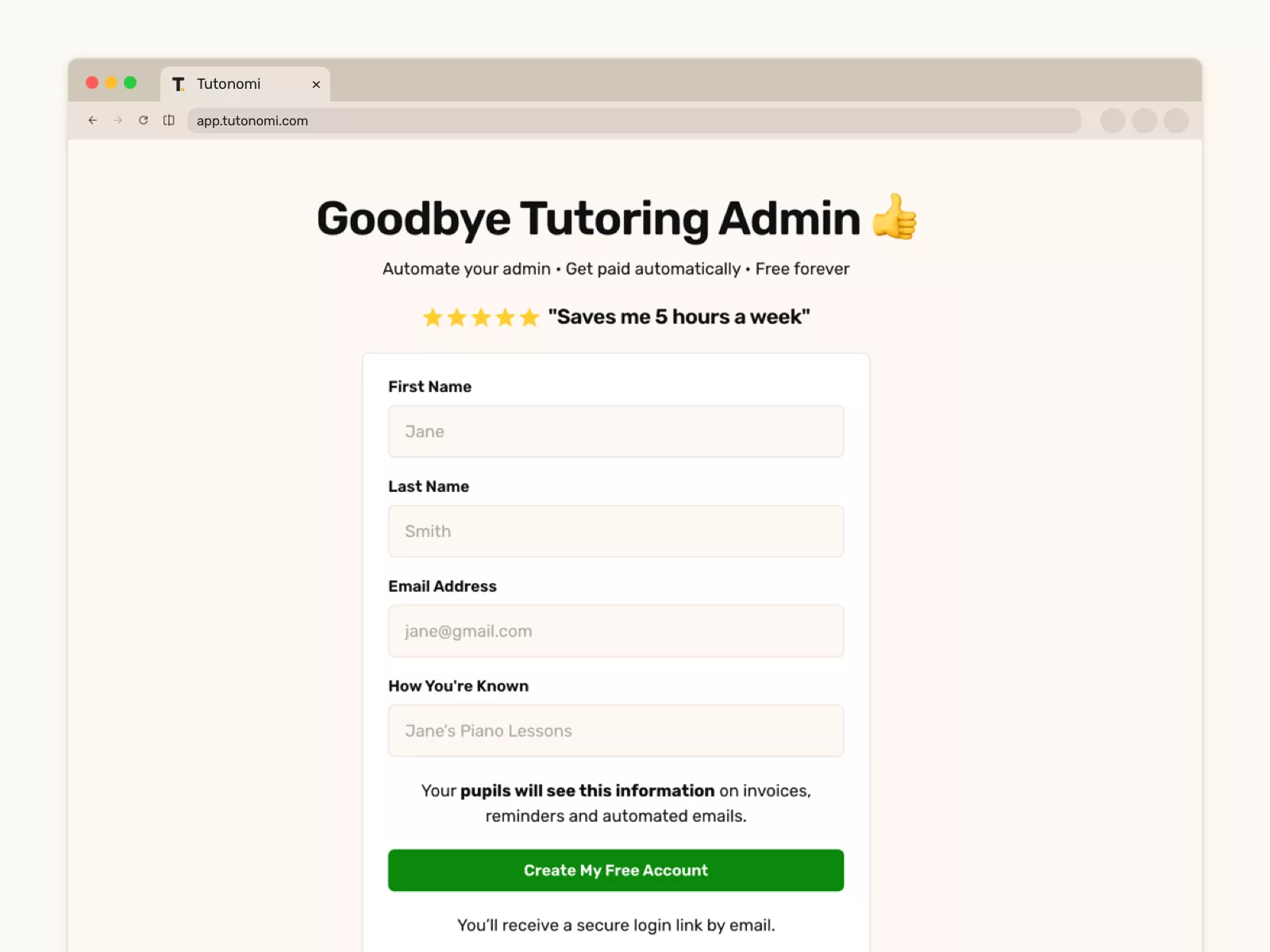
Complete the signup form and we’ll send you a magic login link (there’s no password to remember, ever!).
Complete the signup form and we’ll send you a magic login link (there’s no password to remember, ever!).
STEP 2
Add a Pupil
Add a Pupil
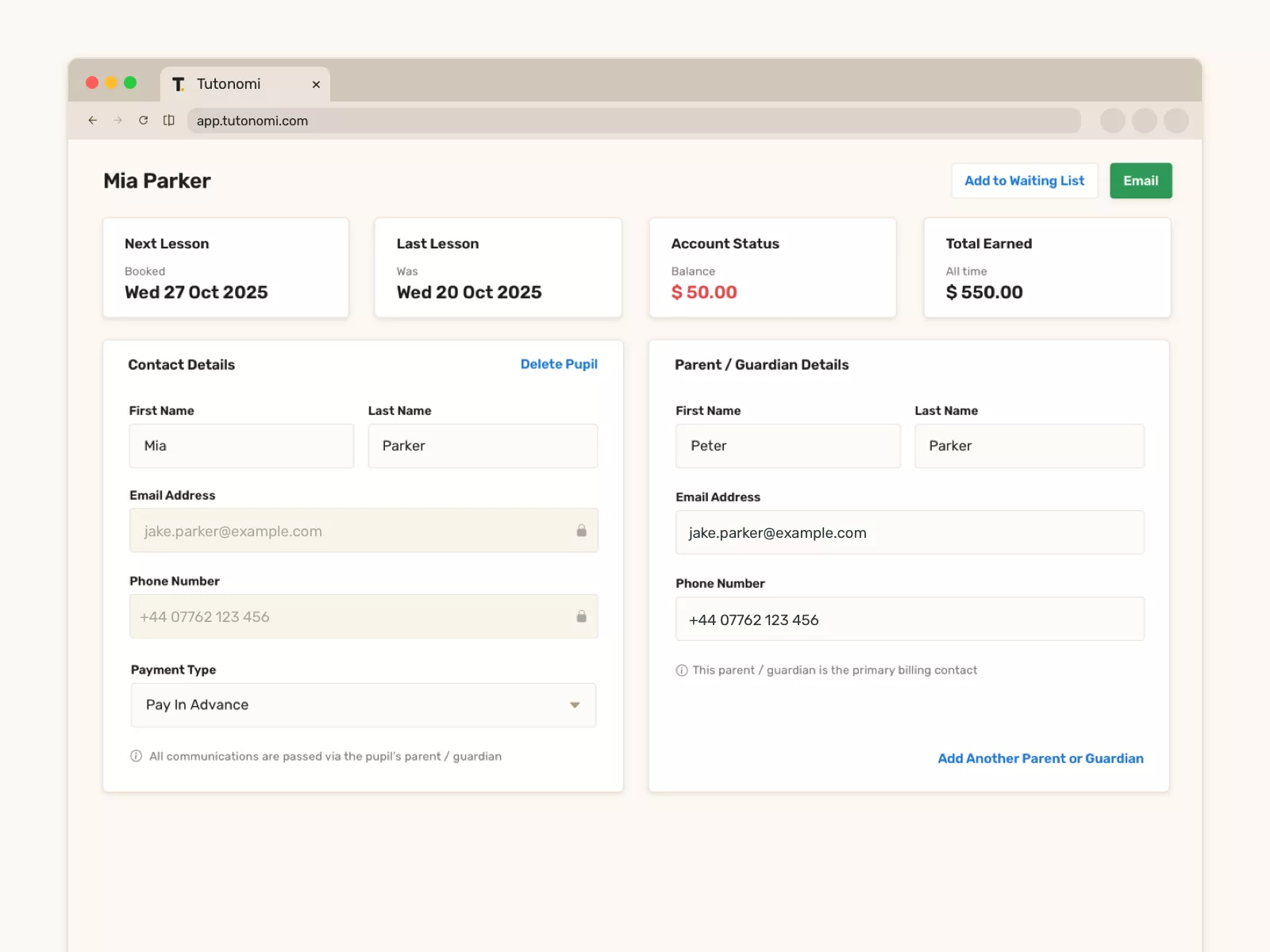
Add your first pupil - either an adult or a child & parent.
They will be sent a very friendly welcome email inviting them to provide their payment details.
You’ll see when they do.
Add your first pupil - either an adult or a child & parent.
They will be sent a very friendly welcome email inviting them to provide their payment details.
You’ll see when they do.
STEP 3
Book a Lesson
Book a Lesson
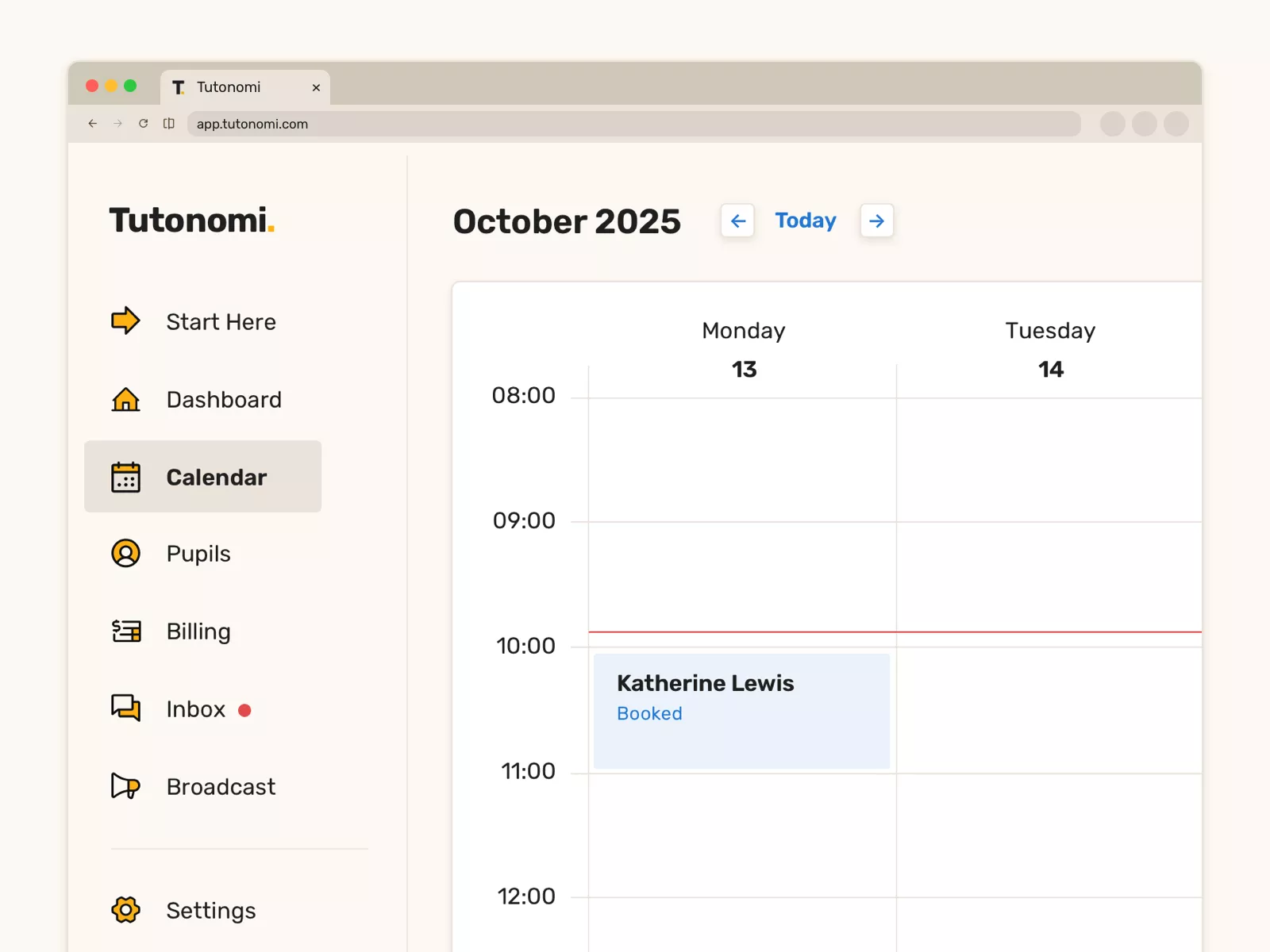
Head to the calendar, pick a time and click to book your first lesson with your new pupil.
They’ll get a booking email and a lesson reminder, too.
Plus, you can easily make it a repeating lesson, too.
Head to the calendar, pick a time and click to book your first lesson with your new pupil.
They’ll get a booking email and a lesson reminder, too.
Plus, you can easily make it a repeating lesson, too.
STEP 4
Set Your Payout Location
Set Your Payout Location
When a pupil owes you money for a lesson, We securely collect the payment and automatically transfer the payment into your bank account.*
*You will need to add your bank details here so you can receive payments.
When a pupil owes you money for a lesson, We securely collect the payment and automatically transfer the payment into your bank account.*
*You will need to add your bank details here so you can receive payments.

STEP 5
Get Paid Automatically
Get Paid Automatically
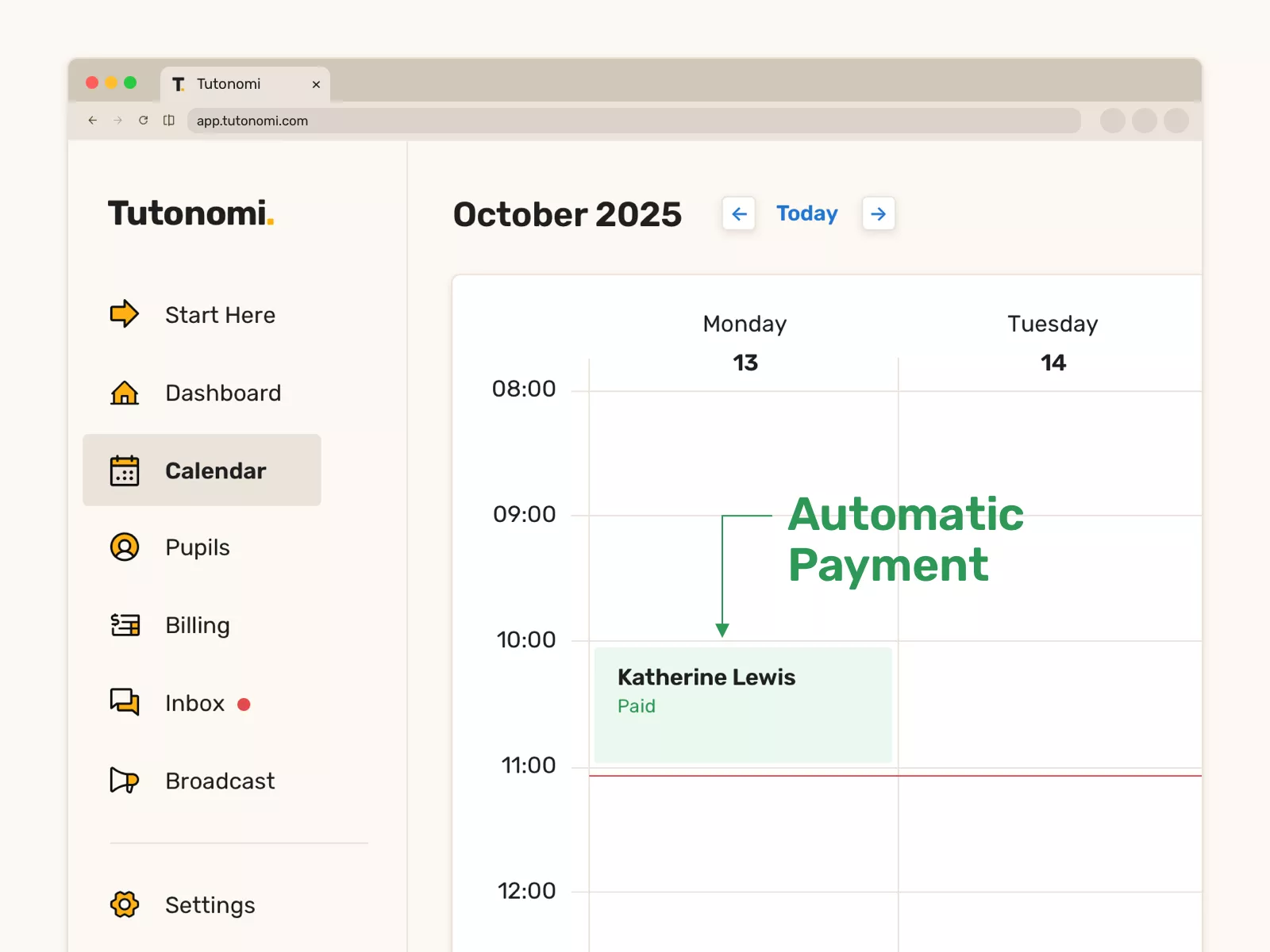
As soon as the lesson has happened, your pupil/parent will be billed automatically and you get paid.
No invoices to write, no payments to chase, no more awkward conversations about money.
As soon as the lesson has happened, your pupil/parent will be billed automatically and you get paid.
No invoices to write, no payments to chase, no more awkward conversations about money.
I simply love it.
Add a pupil, book a lesson, get paid automatically.
PLUS - ✓ Parent & Pupil Messaging, ✓ Bulk Messaging, ✓ Waiting List Management, ✓ Private Notes, ✓ Shared Lesson Notes and more!
PLUS - ✓ Parent & Pupil Messaging, ✓ Bulk Messaging, ✓ Waiting List Management, ✓ Private Notes, ✓ Shared Lesson Notes and more!
No card required • Free forever • Set up in under 5 minutes.
No card required • Free forever • Set up in under 5 minutes.
Supports: ✓ $ USD ✓ $ CAD ✓ £ GBP ✓ $ AUD ✓ € EUR
Supports: ✓ $ USD ✓ $ CAD ✓ £ GBP ✓ $ AUD ✓ € EUR
Things that matter to us —
Why education matters · Why tutors deserve better support · Why burnout is so common in tutoring · Why setting boundaries makes you a better tutor · Why tutoring is a craft, not a side hustle · Why Tutonomi is built without investors · Why calm software matters · Why time is a tutor’s most precious resource · How we think about trust · How we make decisions · Why safeguarding isn’t just a checkbox · Why we choose sustainability over speed · Why Tutonomi exists
Things that matter to us —
Why education matters · Why tutors deserve better support · Why burnout is so common in tutoring · Why setting boundaries makes you a better tutor · Why tutoring is a craft, not a side hustle · Why Tutonomi is built without investors · Why calm software matters · Why time is a tutor’s most precious resource · How we think about trust · How we make decisions · Why safeguarding isn’t just a checkbox · Why we choose sustainability over speed · Why Tutonomi exists
Things that matter to us —
Why education matters · Why tutors deserve better support · Why burnout is so common in tutoring · Why setting boundaries makes you a better tutor · Why tutoring is a craft, not a side hustle · Why Tutonomi is built without investors · Why calm software matters · Why time is a tutor’s most precious resource · How we think about trust · How we make decisions · Why safeguarding isn’t just a checkbox · Why we choose sustainability over speed · Why Tutonomi exists
Things that matter to us —
Why education matters · Why tutors deserve better support · Why burnout is so common in tutoring · Why setting boundaries makes you a better tutor · Why tutoring is a craft, not a side hustle · Why Tutonomi is built without investors · Why calm software matters · Why time is a tutor’s most precious resource · How we think about trust · How we make decisions · Why safeguarding isn’t just a checkbox · Why we choose sustainability over speed · Why Tutonomi exists
I simply love it
Saves me 5 hours a week
No subscription fee
I have more family time now
My schedule is crystal clear
I spend more time earning (or relaxing!)
Now I get paid on time, every time
I highly recommend this app!
Tutonomi.
© 2025 Made for Good Ltd