View a Pupil's Payment History
See a full breakdown of payments, retries and refunds for each pupil.
——— ••• ———
You can see a full payment history for each pupil, including paid, due, and overdue lessons.
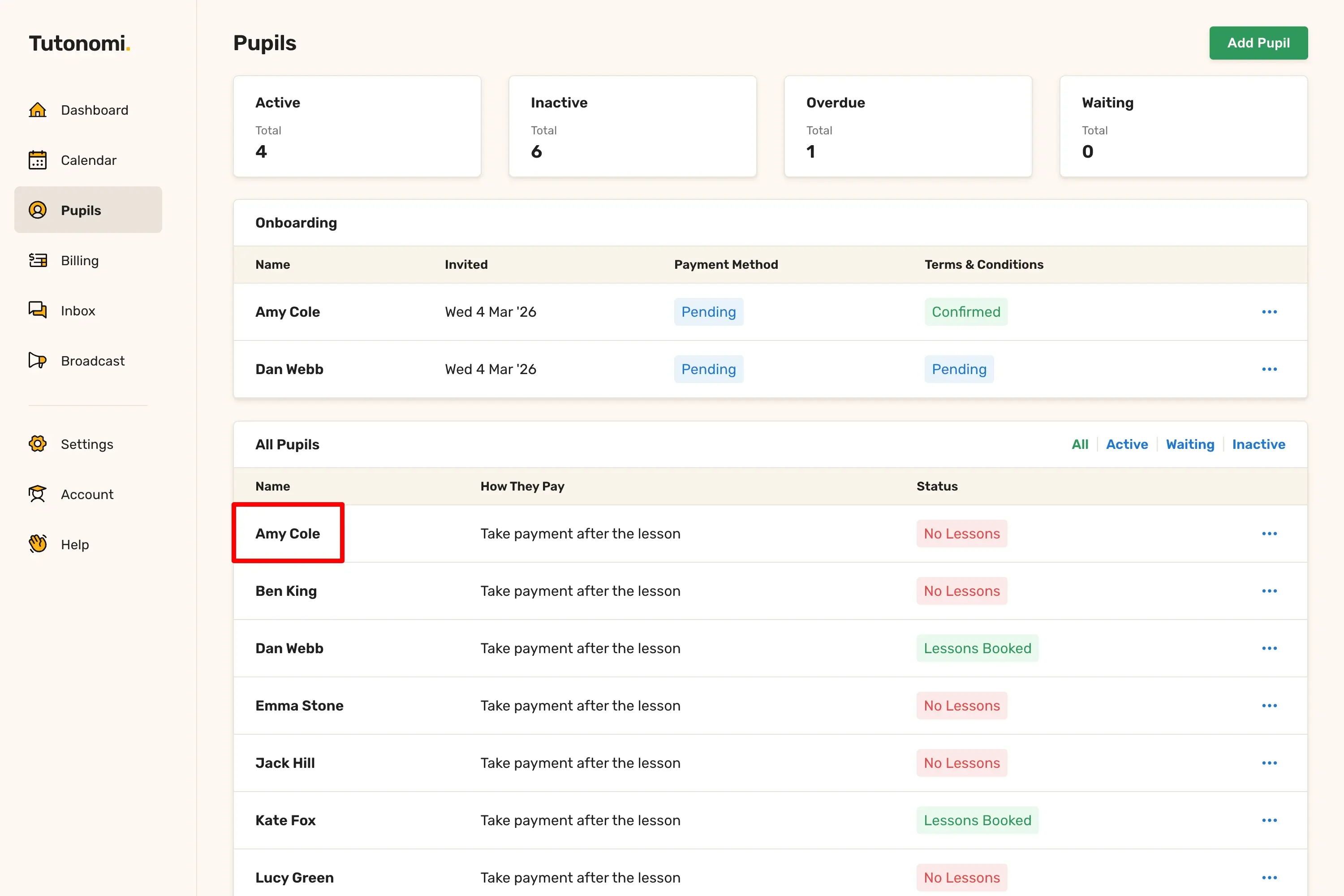
Step 1: Open the pupil’s profile
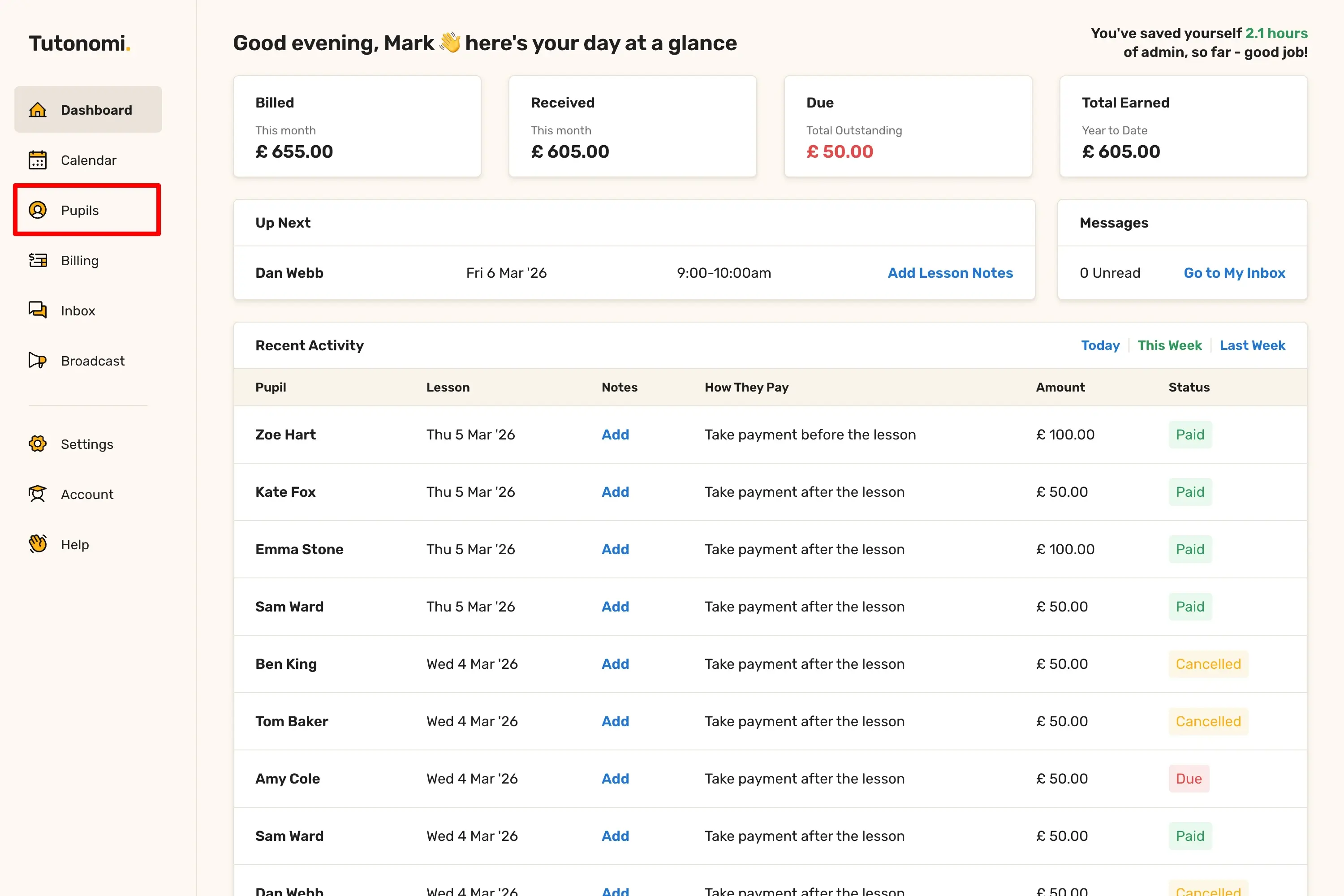
From the left-hand menu, click Pupils.
Select the pupil you want to view:
Step 2: Scroll down to review lesson payments
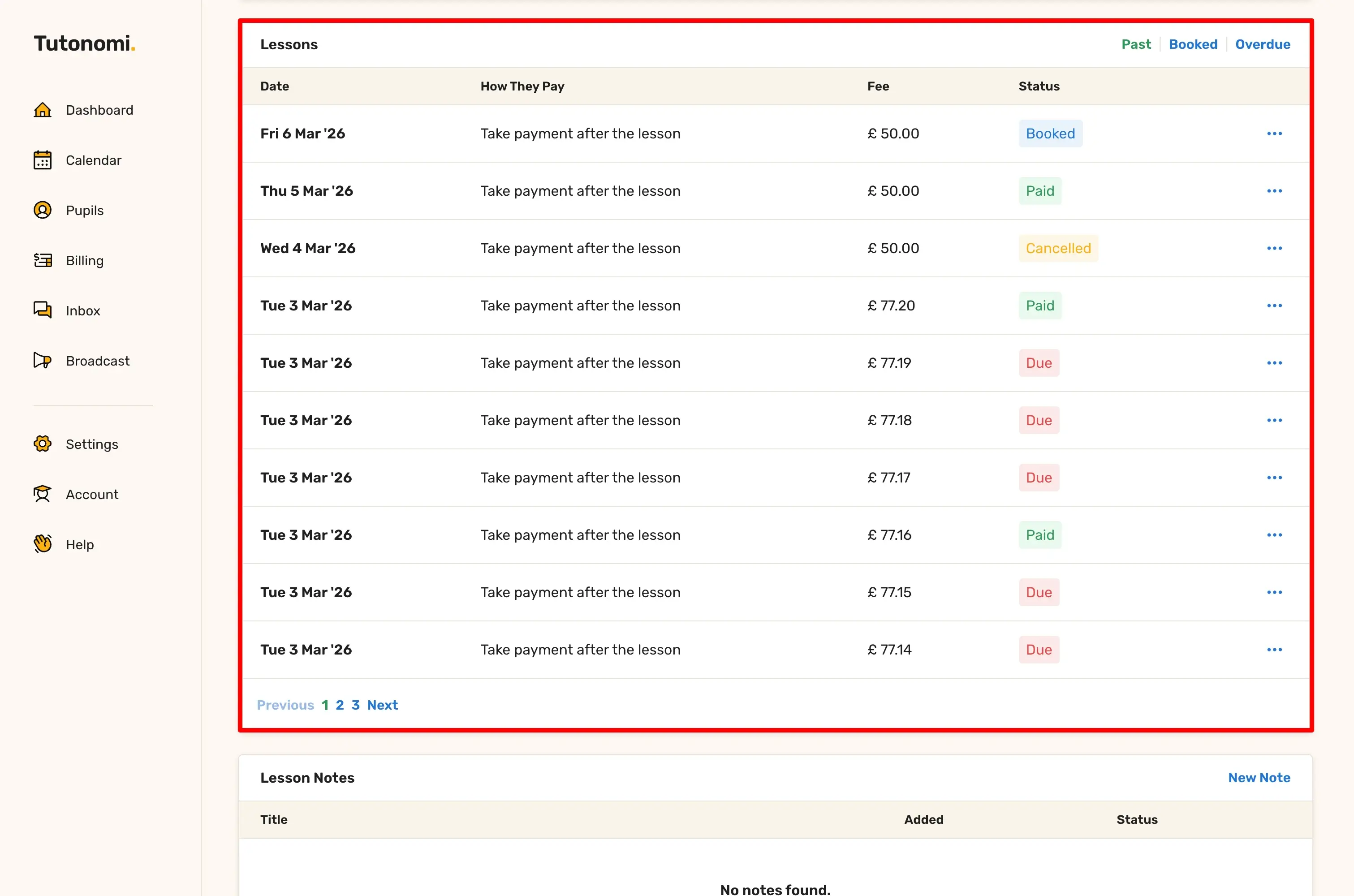
Scroll down to the Lessons section.
Here you can see:
Each lesson date
How the lesson was paid (for example, Pay in advance)
The lesson fee
The current payment status (Paid, Due, or Overdue)
You can switch between Past, Booked, and Overdue lessons using the filters.
Good to know
Payment statuses update automatically
Paid lessons require no action from you
Any overdue or failed payments are handled through Tutonomi’s billing system
Need a hand? 👋
If this hasn’t fully answered your question, we’re always here to help!
Send us a message and we’ll get back to you quickly — usually within an hour (9am-6pm UTC).
I simply love it
Saves me 5 hours a week
It’s free!
I have more family time now
My schedule is crystal clear
I spend more time earning (or relaxing!)
Now I get paid on time, every time
I highly recommend this app!