Set Your Default Hourly Rate
Learn how to set your default hourly rate in Tutonomi so new lessons are priced correctly from the start.
——— ••• ———
Here's how to set the rate Tutonomi uses as your default when calculating lesson costs.
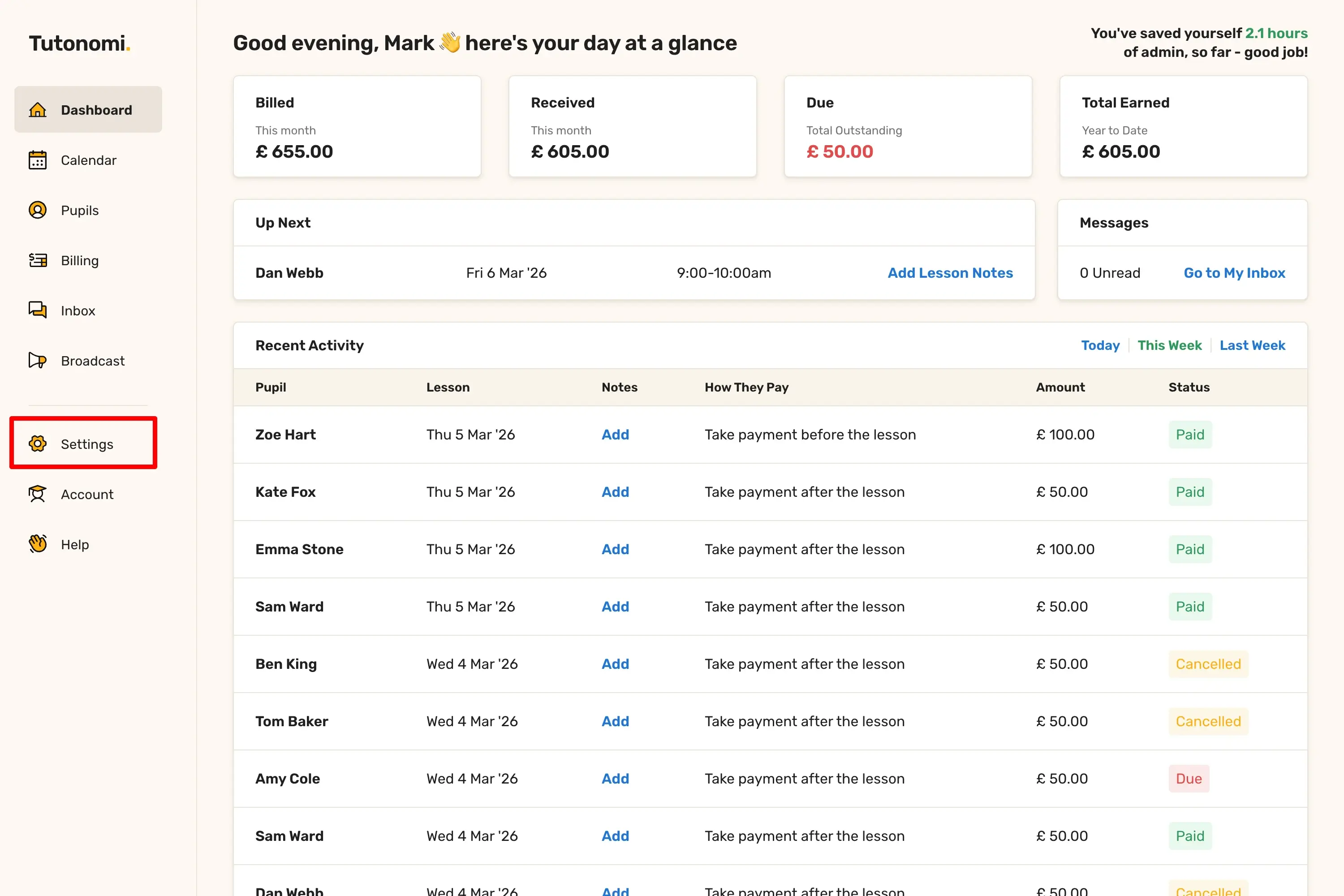
Step 1: Open Settings
From the left-hand menu, click Settings.
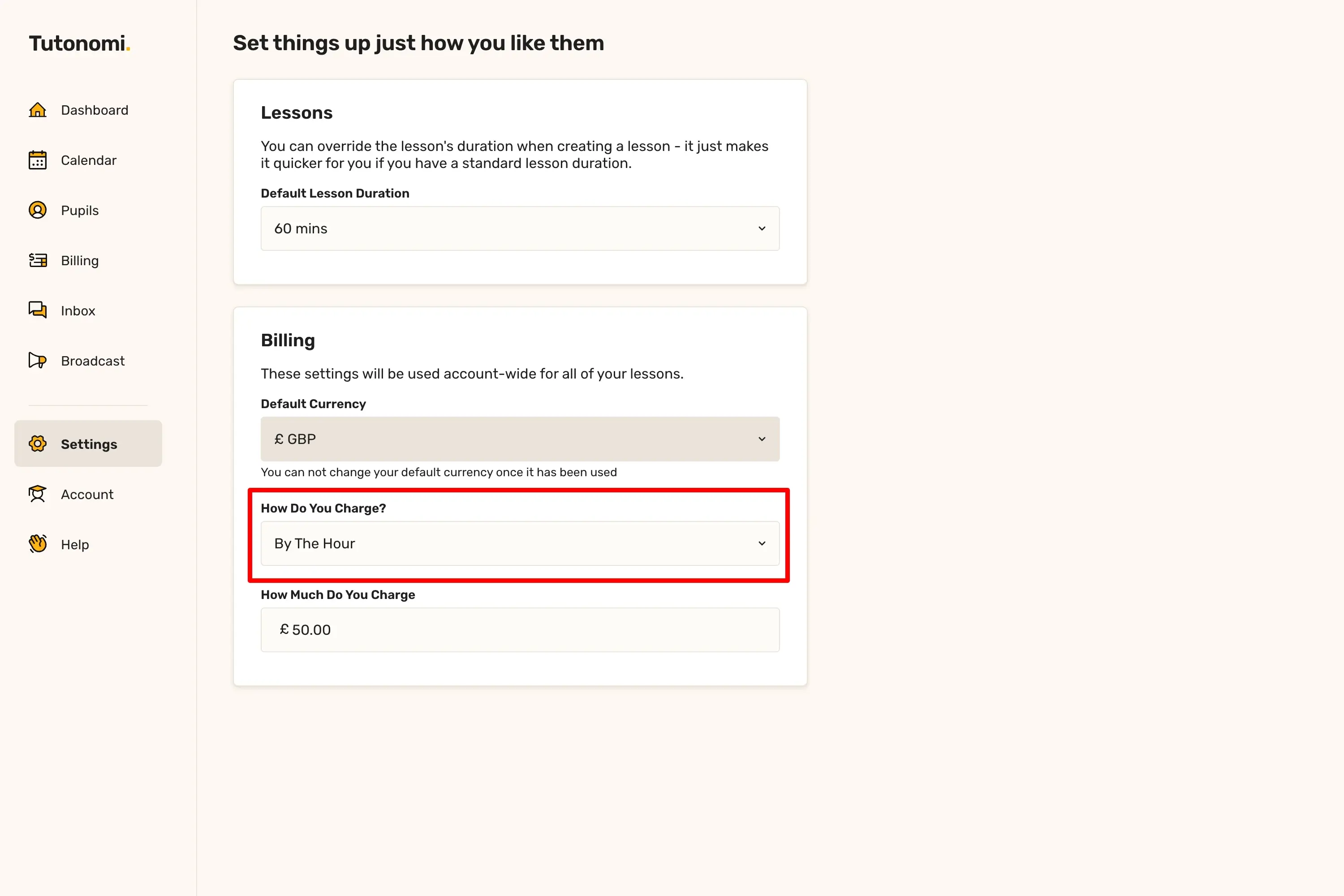
Step 2: Set how you charge
In the Billing section, use the How Do You Charge? dropdown and select By The Hour.
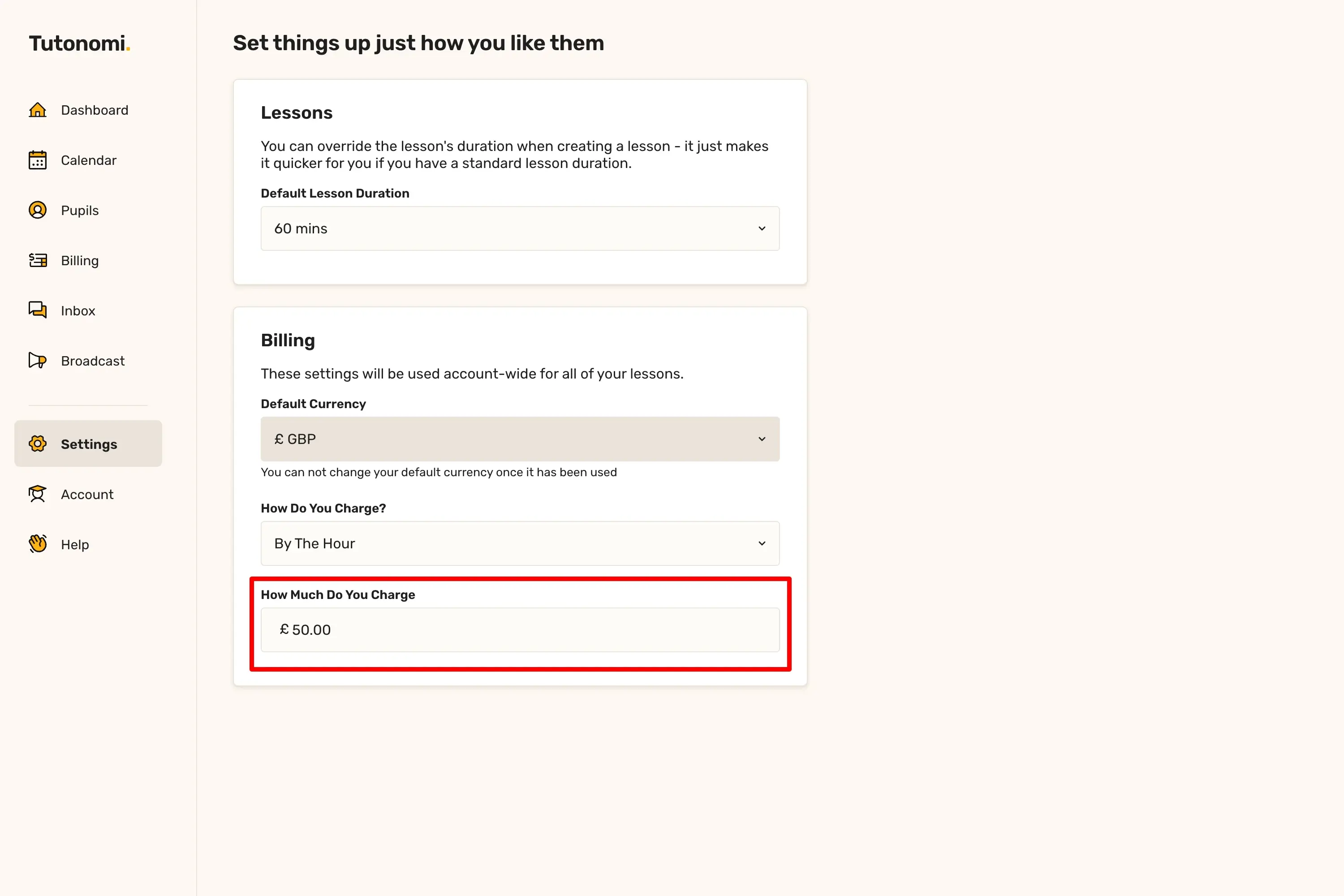
Step 3: Enter your rate
In the How Much Do You Charge field, enter your hourly rate.
Good to know
This rate is used as the default whenever you create a new lesson — you can always override it for individual lessons.
If you charge a flat rate per lesson rather than by the hour, select the appropriate option from the How Do You Charge? dropdown instead.
Need a hand? 👋
If this hasn’t fully answered your question, we’re always here to help!
Send us a message and we’ll get back to you quickly — usually within an hour (9am-6pm UTC).
I simply love it
Saves me 5 hours a week
It’s free!
I have more family time now
My schedule is crystal clear
I spend more time earning (or relaxing!)
Now I get paid on time, every time
I highly recommend this app!