Message a Single Pupil
Send an email directly to a pupil or their guardian.
——— ••• ———
Here's how to send a message to a pupil directly from Tutonomi.
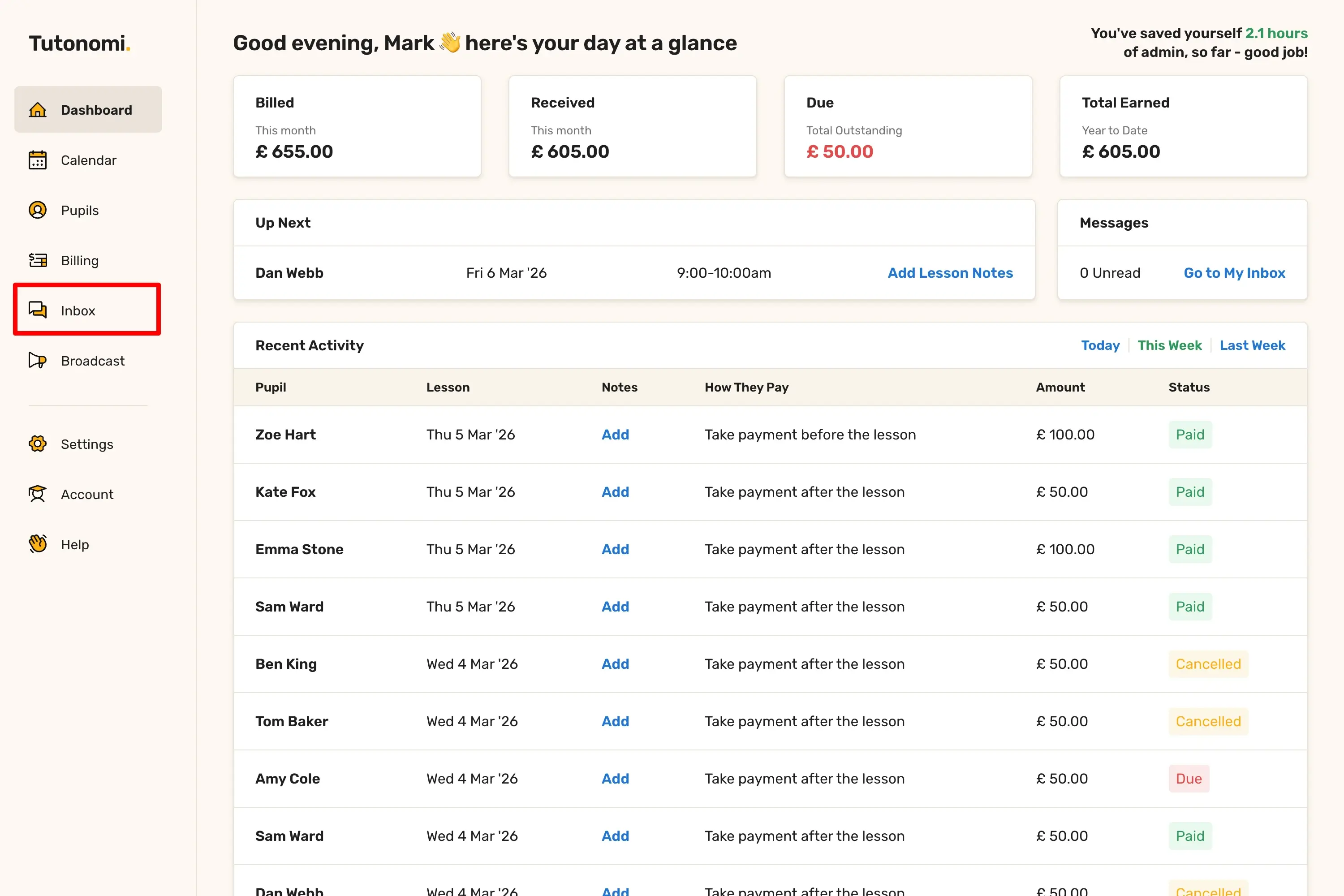
Step 1: Open your Inbox
From the left-hand menu, click Inbox.
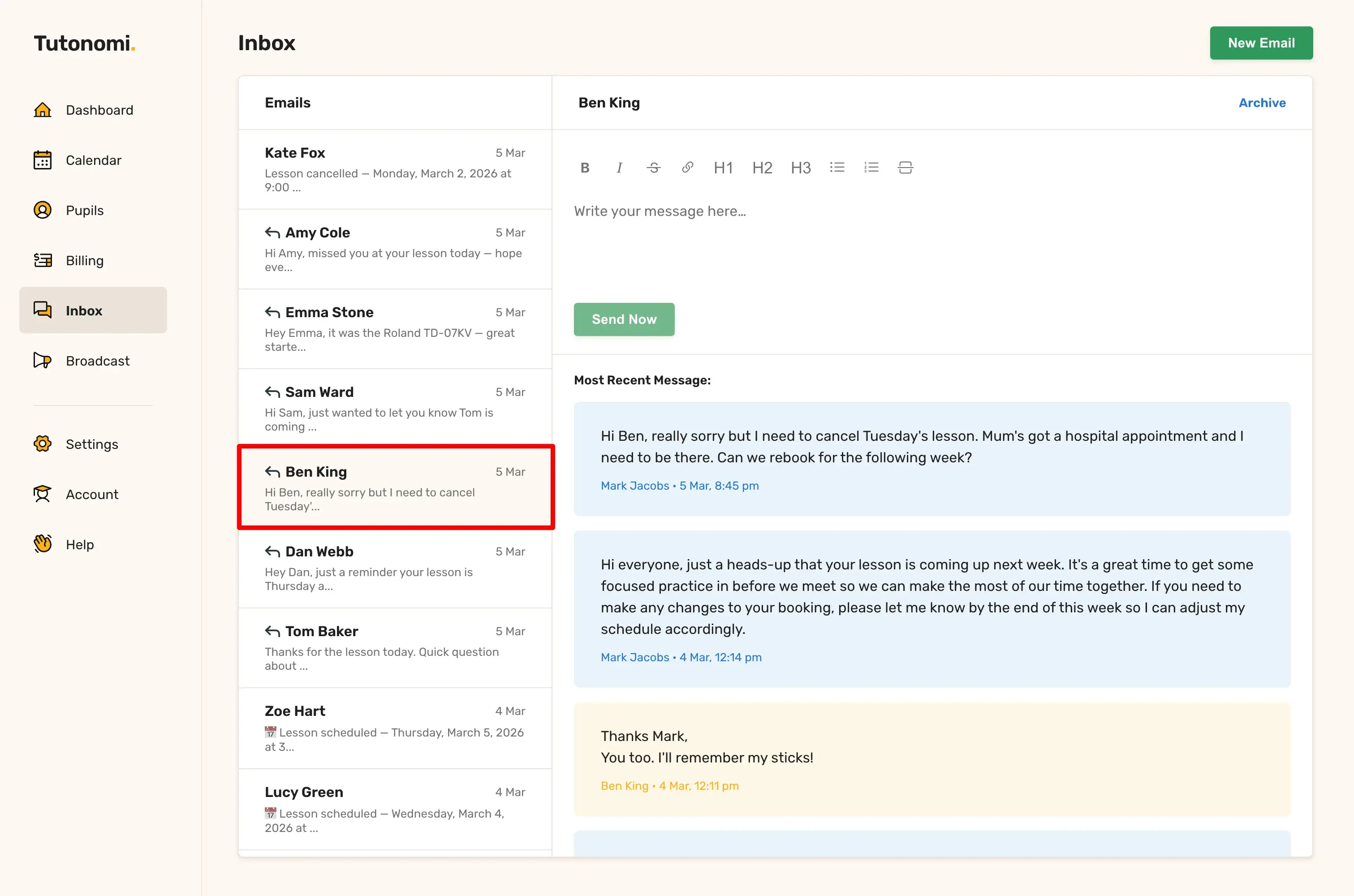
Step 2: Find or start a conversation
Select an existing conversation from the list on the left, or click New Email in the top right to start a fresh one.
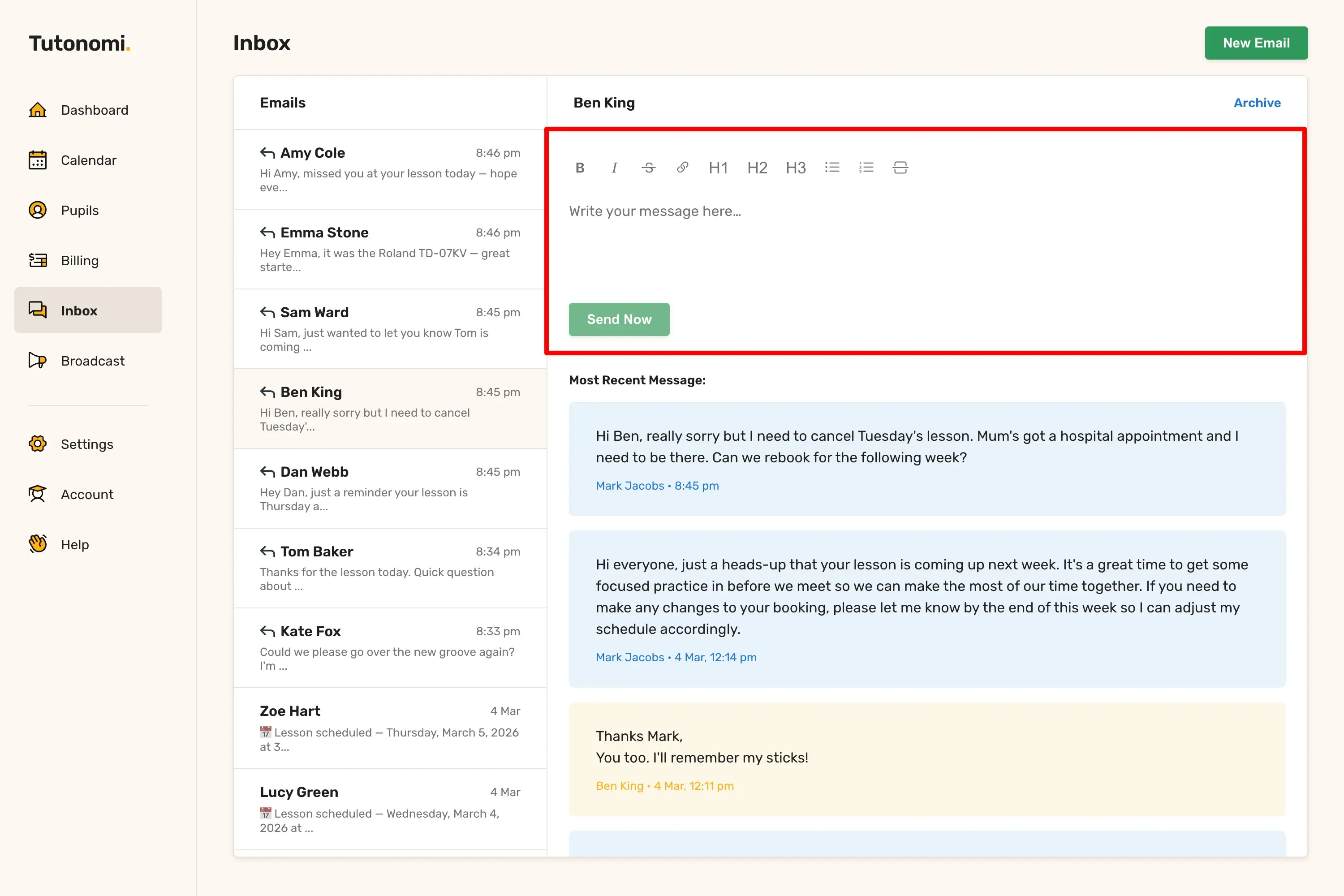
Step 3: Write and send
Type your message into the editor and click Send Now.
Good to know
If a parent or guardian is linked to the pupil, your message will be sent to both.
All replies come back into the same conversation thread in your Inbox.
You can use the formatting toolbar to add structure to longer messages.
Need a hand? 👋
If this hasn’t fully answered your question, we’re always here to help!
Send us a message and we’ll get back to you quickly — usually within an hour (9am-6pm UTC).
I simply love it
Saves me 5 hours a week
It’s free!
I have more family time now
My schedule is crystal clear
I spend more time earning (or relaxing!)
Now I get paid on time, every time
I highly recommend this app!