Editing One Lesson in a Recurring Series
Change a single lesson in a recurring series without affecting future bookings.
——— ••• ———
Here's how to make changes to a single lesson without affecting the rest of the series.
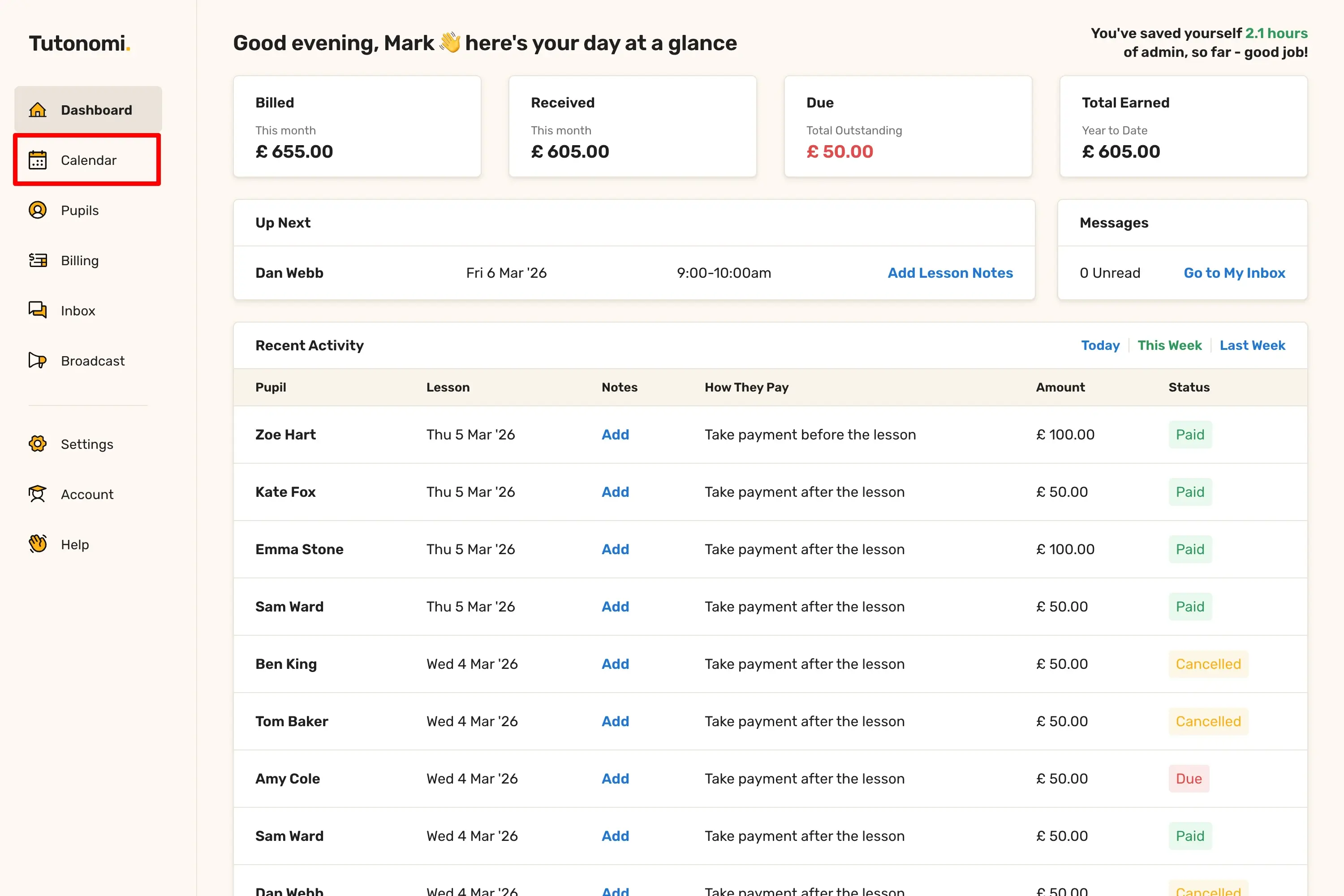
Step 1: Open your Calendar
From the left-hand menu, click Calendar.
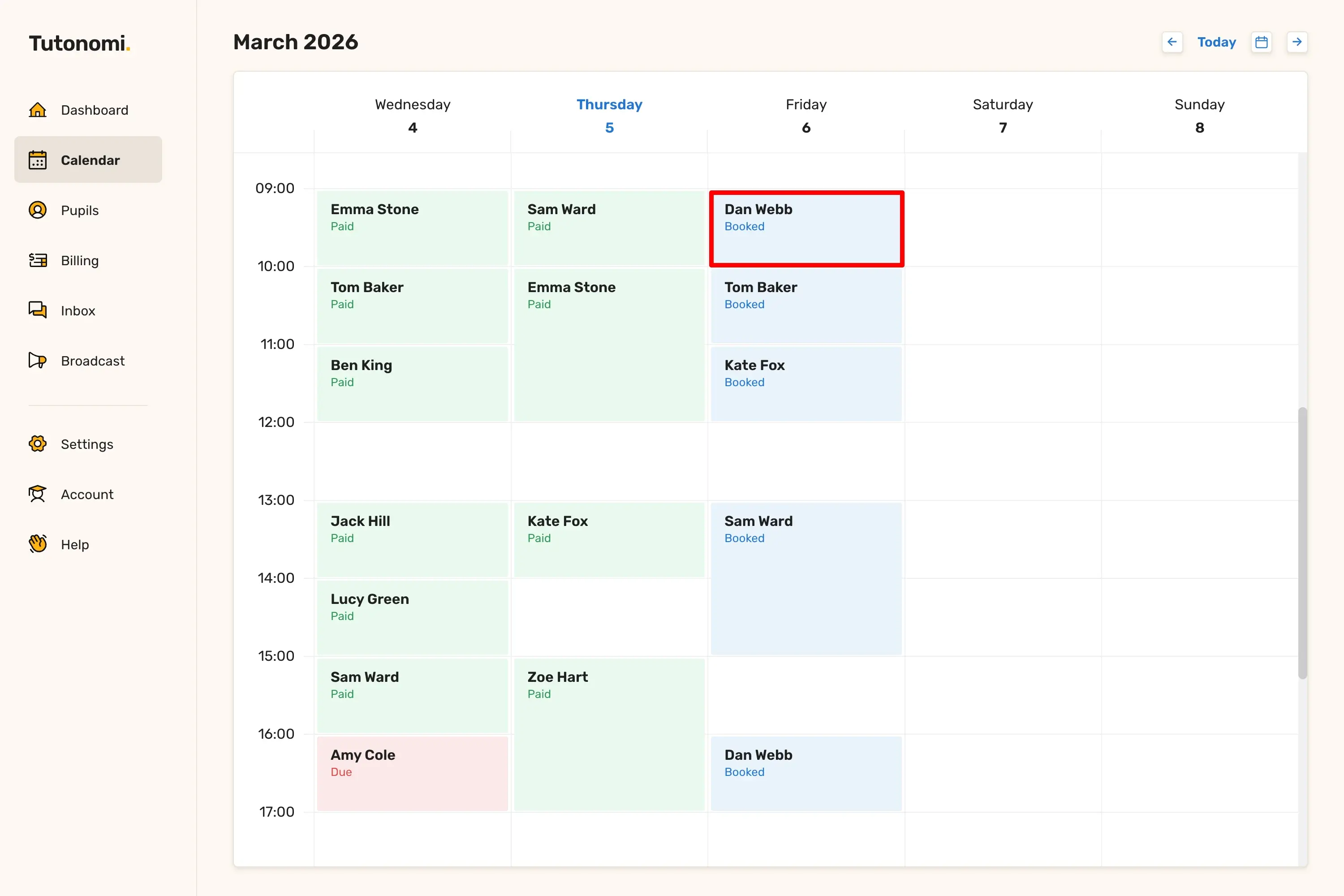
Step 2: Open the lesson
Click on the lesson you want to edit. In the Lesson Options panel, select Edit Lesson.
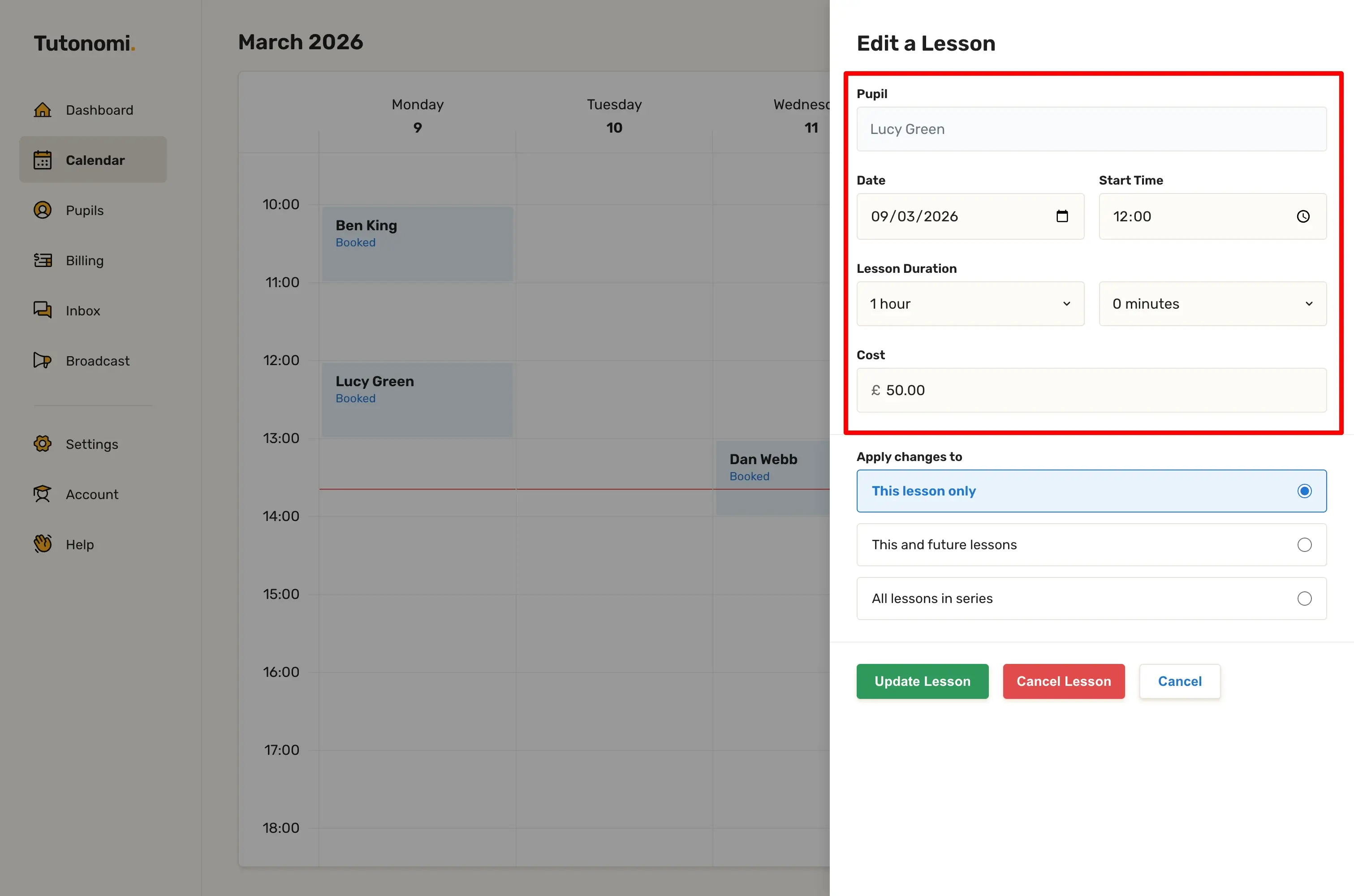
Step 3: Make your changes
Update any of the fields: Date, Start Time, Lesson Duration, or Cost.
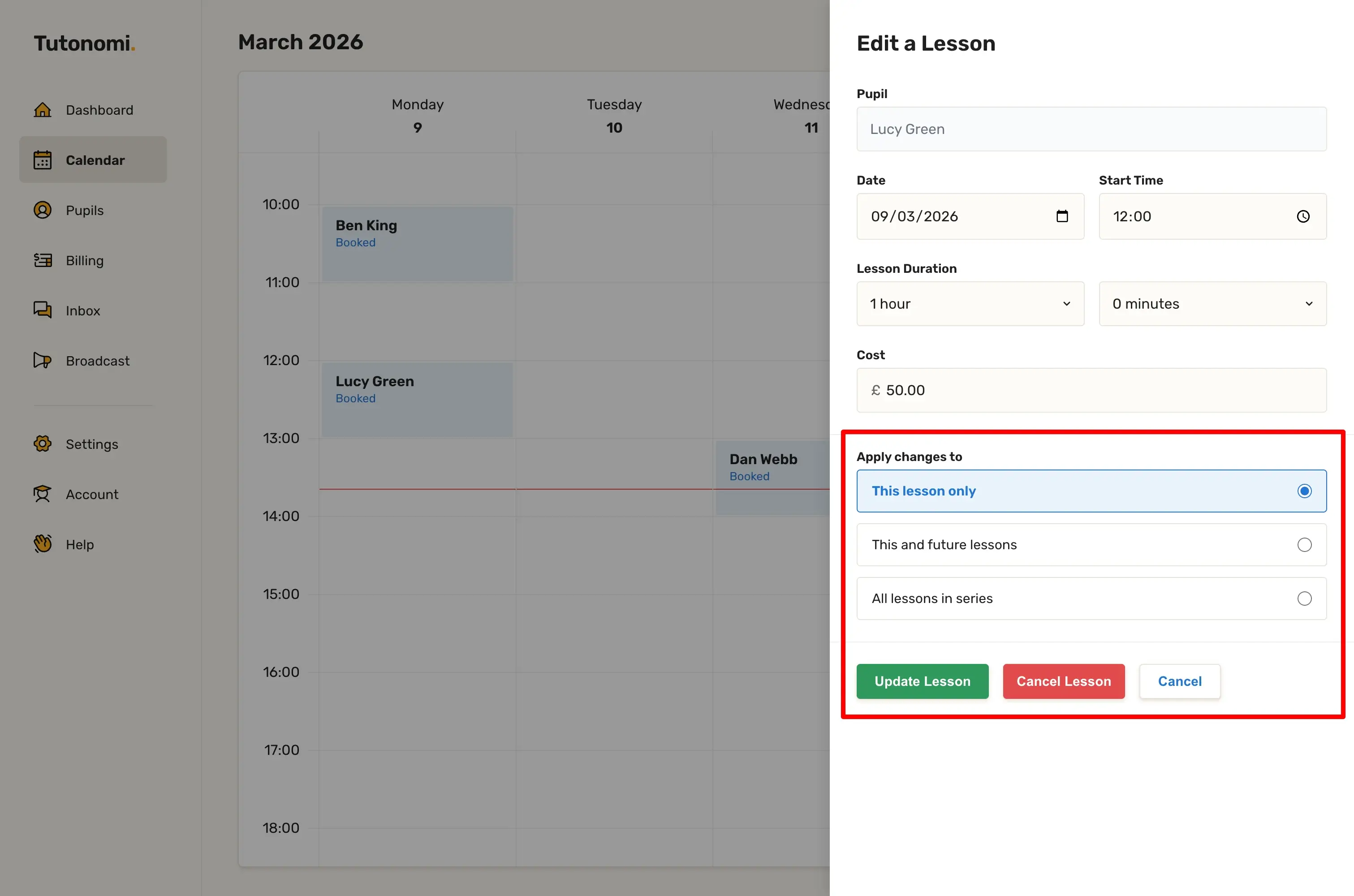
Step 4: Apply to this lesson only
Under Apply changes to, select This lesson only, then click Update Lesson.
Good to know
Your pupil will be notified automatically when the lesson is updated.
All other lessons in the series remain unchanged.
If you want to update this lesson and all that follow, see the guide on editing all future lessons in a series.
Need a hand? 👋
If this hasn’t fully answered your question, we’re always here to help!
Send us a message and we’ll get back to you quickly — usually within an hour (9am-6pm UTC).
I simply love it
Saves me 5 hours a week
It’s free!
I have more family time now
My schedule is crystal clear
I spend more time earning (or relaxing!)
Now I get paid on time, every time
I highly recommend this app!