Edit an Existing Lesson
Modify lesson details including time, duration or pricing.
——— ••• ———
Here's how to make changes to an existing lesson.
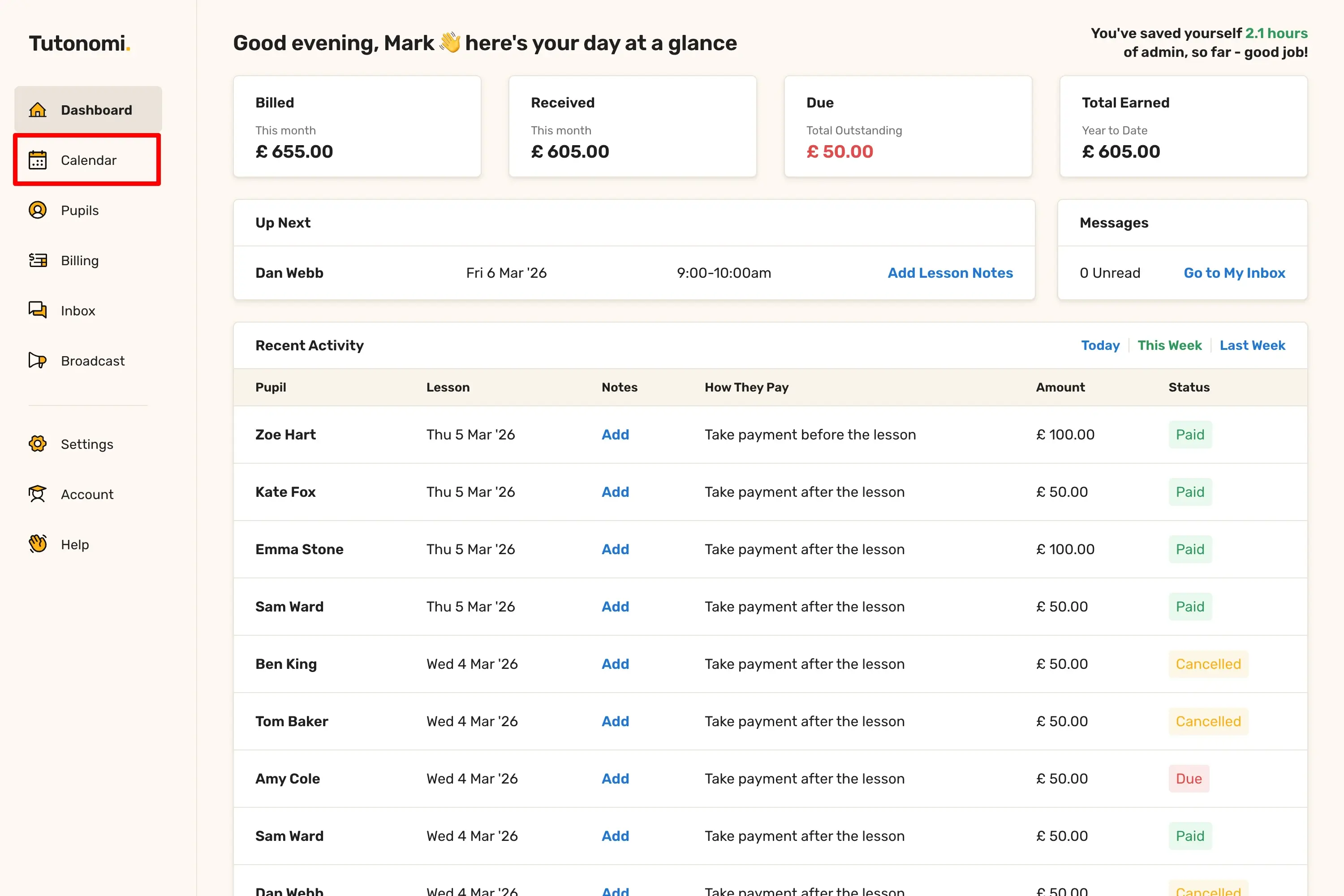
Step 1: Open your Calendar
From the left-hand menu, click Calendar.
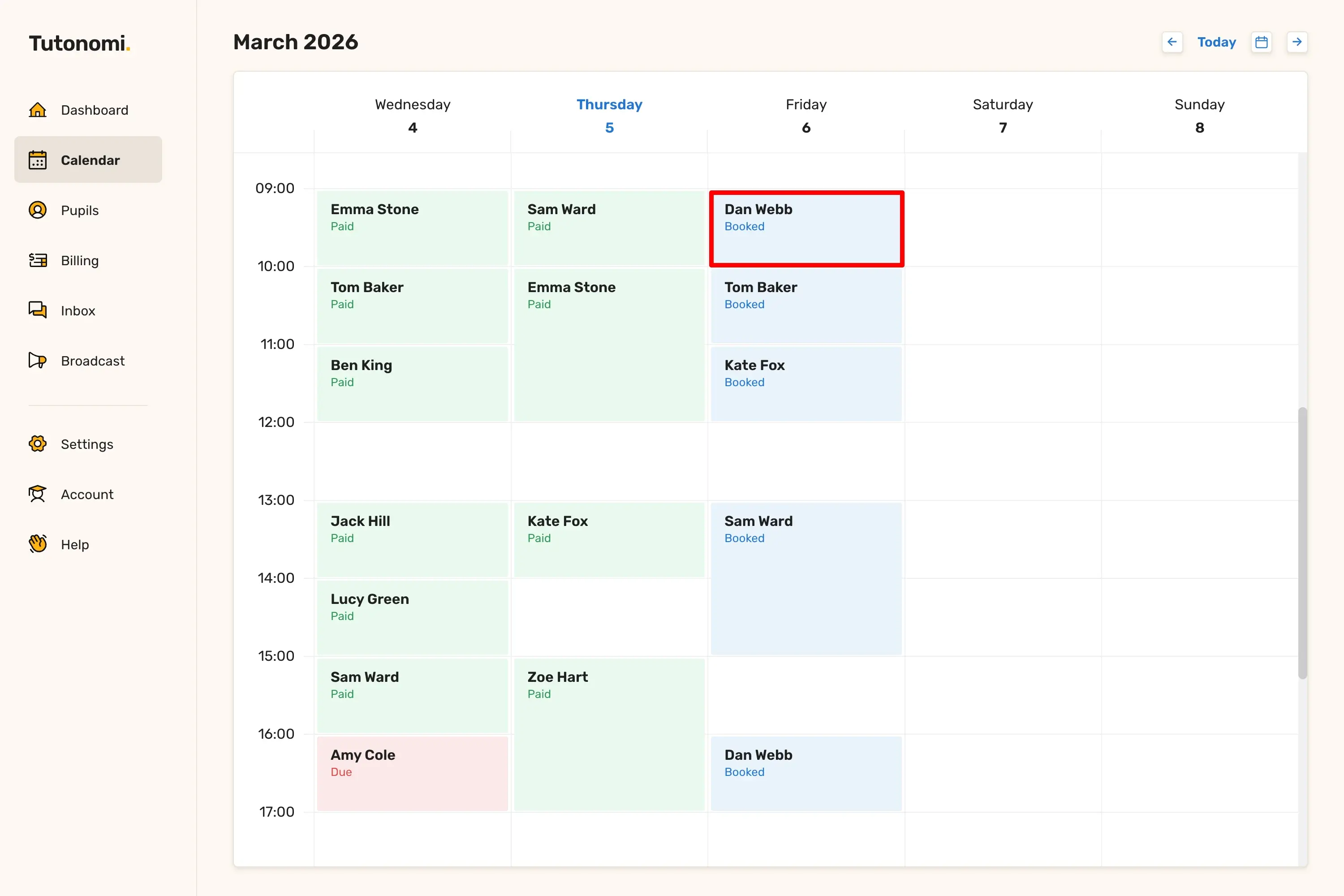
Step 2: Open the lesson
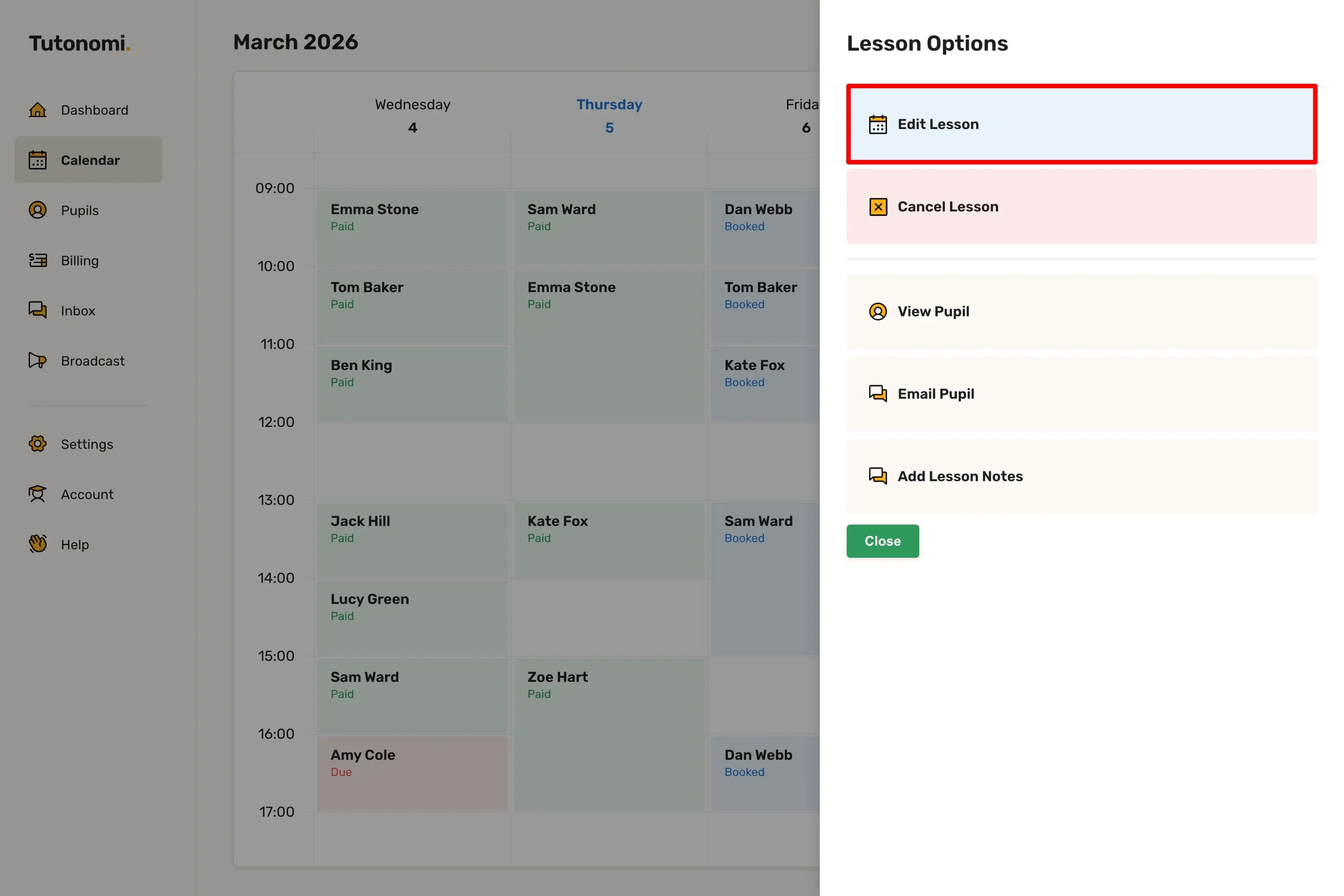
Click on the lesson you want to edit. In the Lesson Options panel, select Edit Lesson.
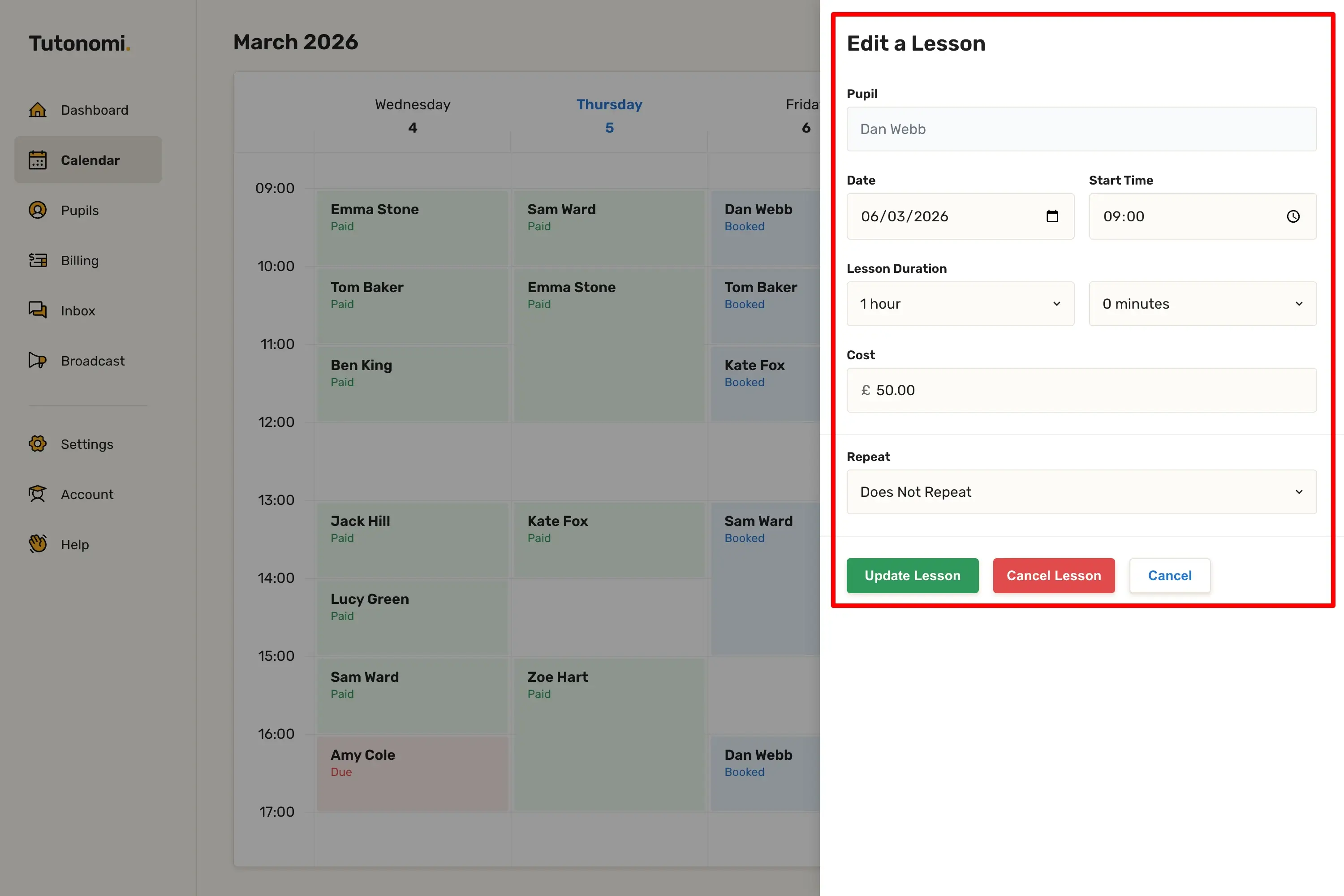
Step 3: Make your changes
Update any of the fields: Date, Start Time, Lesson Duration, Cost, or Repeat. When you're done, click Update Lesson.
Good to know
You can also cancel a lesson directly from the Edit a Lesson panel using the Cancel Lesson button.
Editing a lesson automatically notifies the pupil.
Need a hand? 👋
If this hasn’t fully answered your question, we’re always here to help!
Send us a message and we’ll get back to you quickly — usually within an hour (9am-6pm UTC).
I simply love it
Saves me 5 hours a week
It’s free!
I have more family time now
My schedule is crystal clear
I spend more time earning (or relaxing!)
Now I get paid on time, every time
I highly recommend this app!