Delete a Pupil
Permanently remove a pupil from Tutonomi and understand what happens to their lesson history.
——— ••• ———
Here's how to permanently remove a pupil from your Tutonomi account.
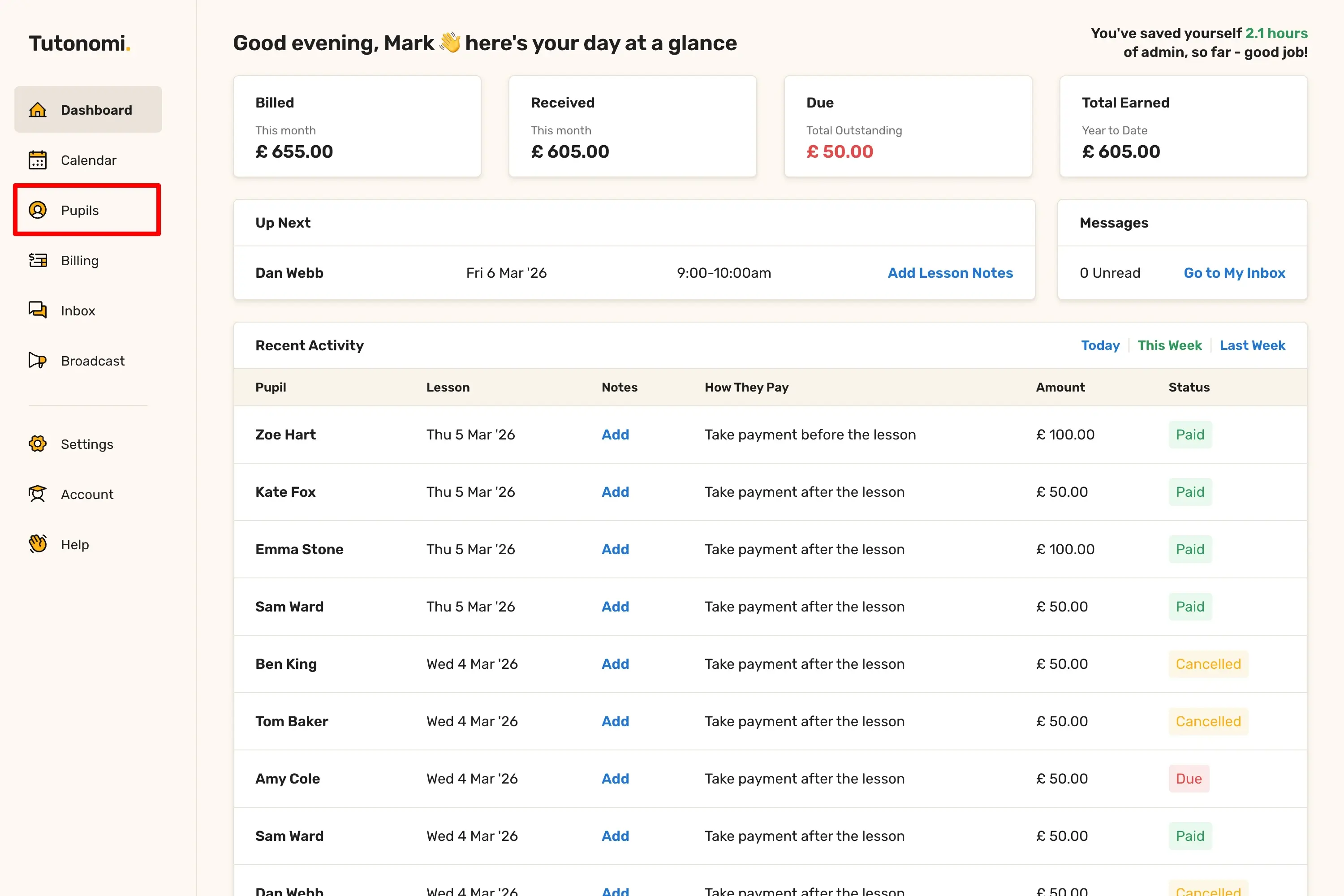
Step 1: Go to Pupils
From the left-hand menu, click Pupils.
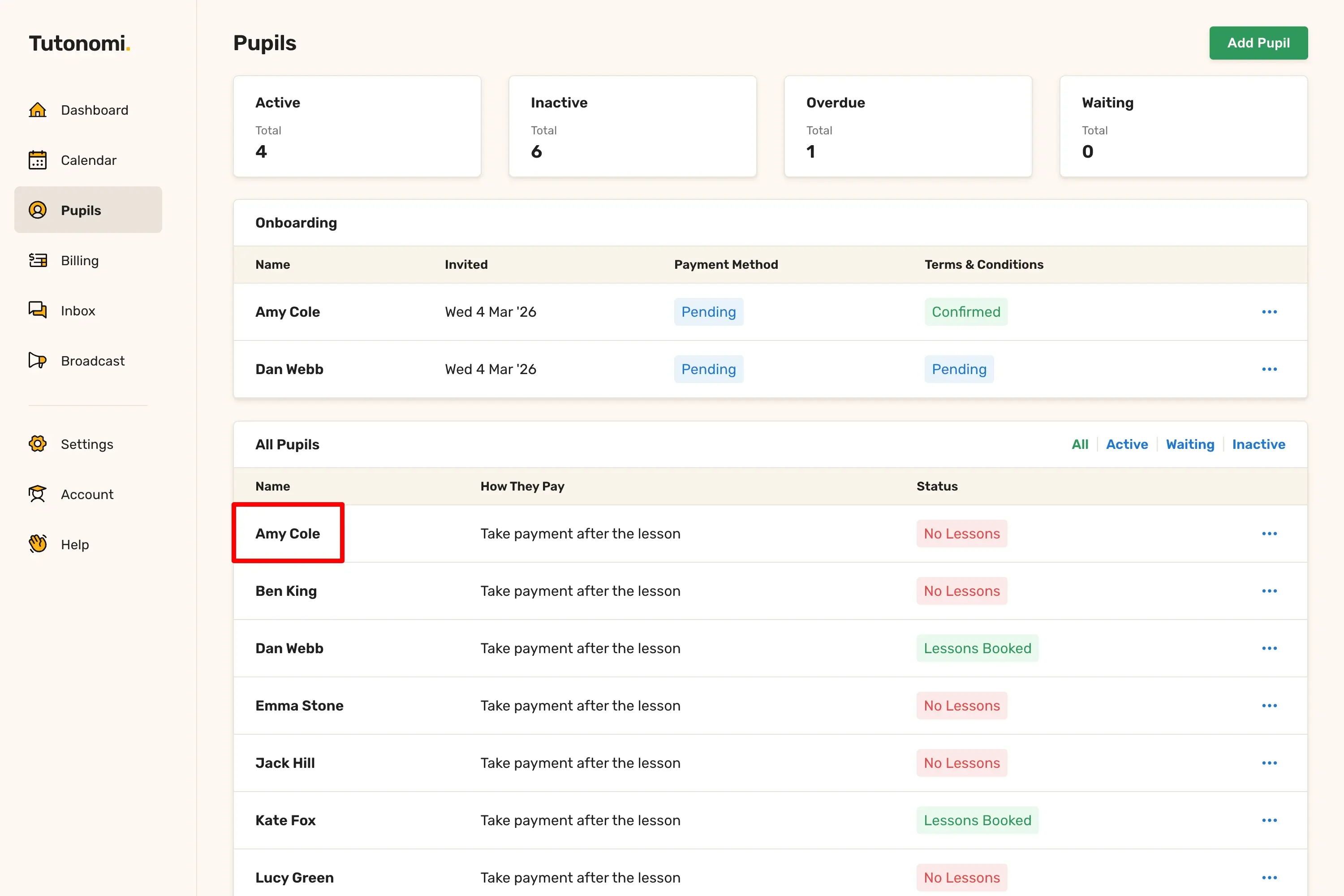
Step 2: Open the pupil's profile
Click on the pupil's name in the All Pupils list.
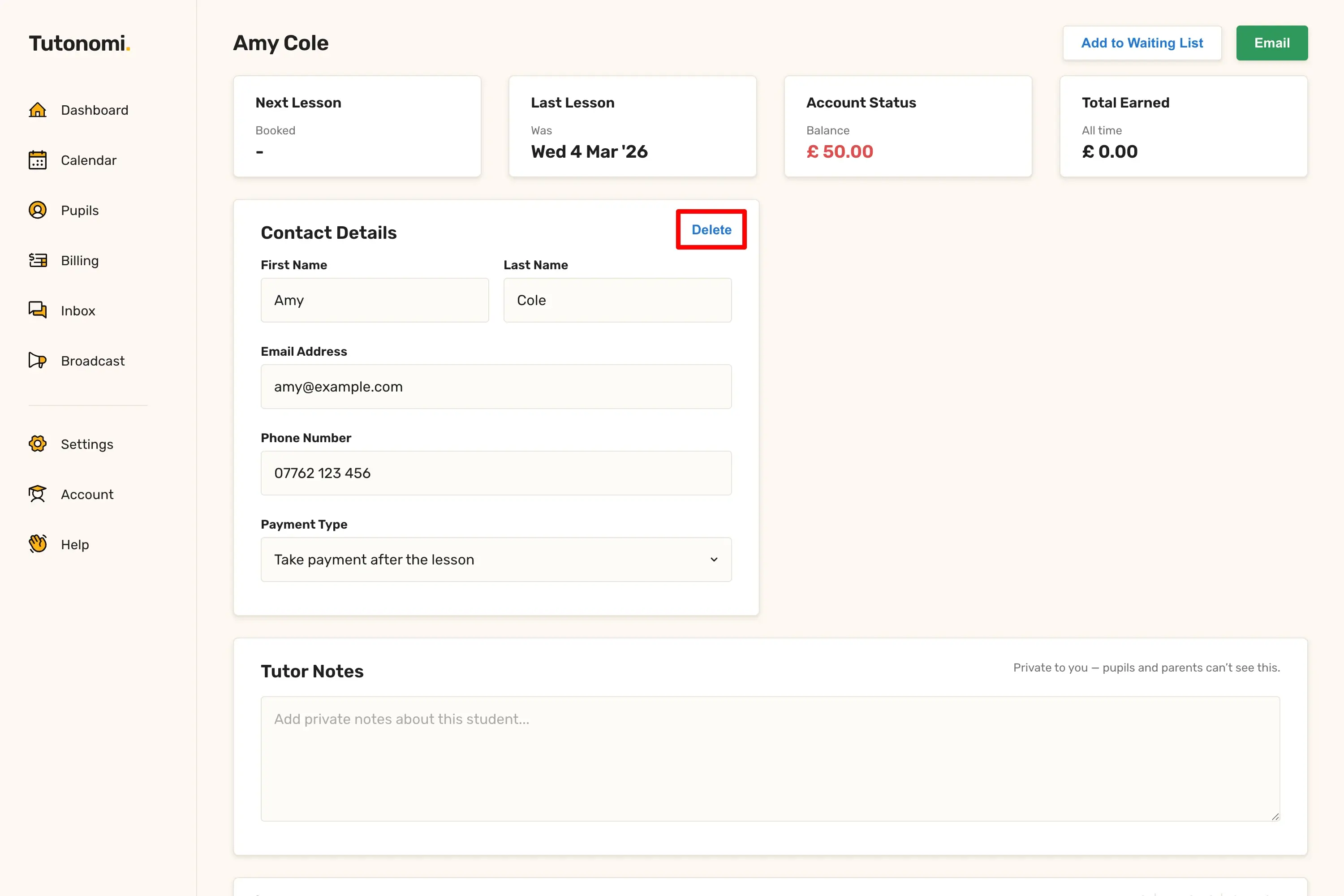
Step 3: Delete the pupil
In the Contact Details section, click Delete. A confirmation prompt will appear — click Yes to confirm.
Good to know
This action is permanent and cannot be undone. Deleting a pupil removes them from your account and cancels all scheduled lessons.
If you're unsure, it may be worth leaving the pupil as inactive rather than deleting them entirely.
Need a hand? 👋
If this hasn’t fully answered your question, we’re always here to help!
Send us a message and we’ll get back to you quickly — usually within an hour (9am-6pm UTC).
I simply love it
Saves me 5 hours a week
It’s free!
I have more family time now
My schedule is crystal clear
I spend more time earning (or relaxing!)
Now I get paid on time, every time
I highly recommend this app!