Create a Recurring Lesson
Set up recurring lessons so payments are collected automatically each week.
——— ••• ———
Here's how to set up a lesson that repeats automatically on a regular schedule.
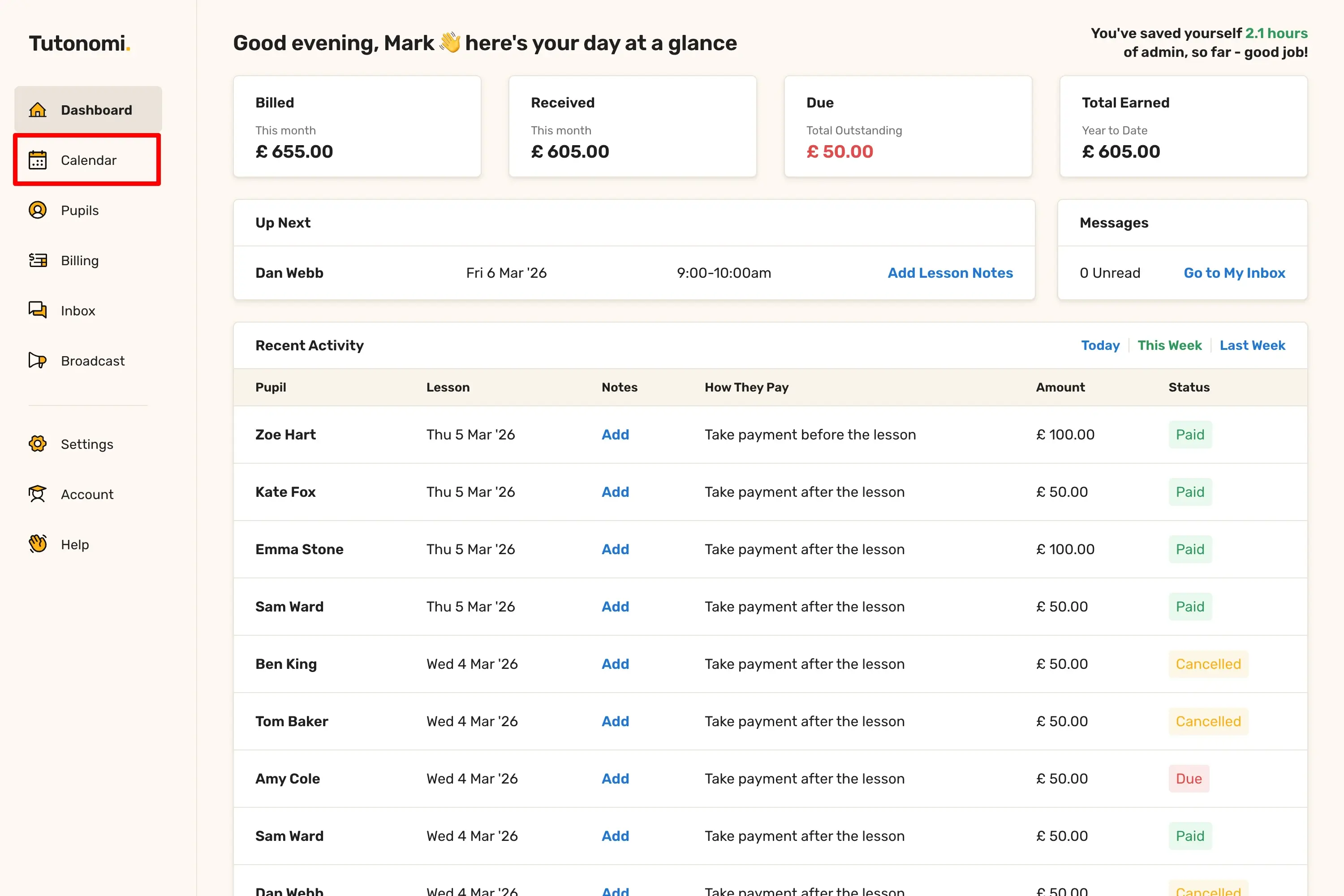
Step 1: Open your Calendar
From the left-hand menu, click Calendar.
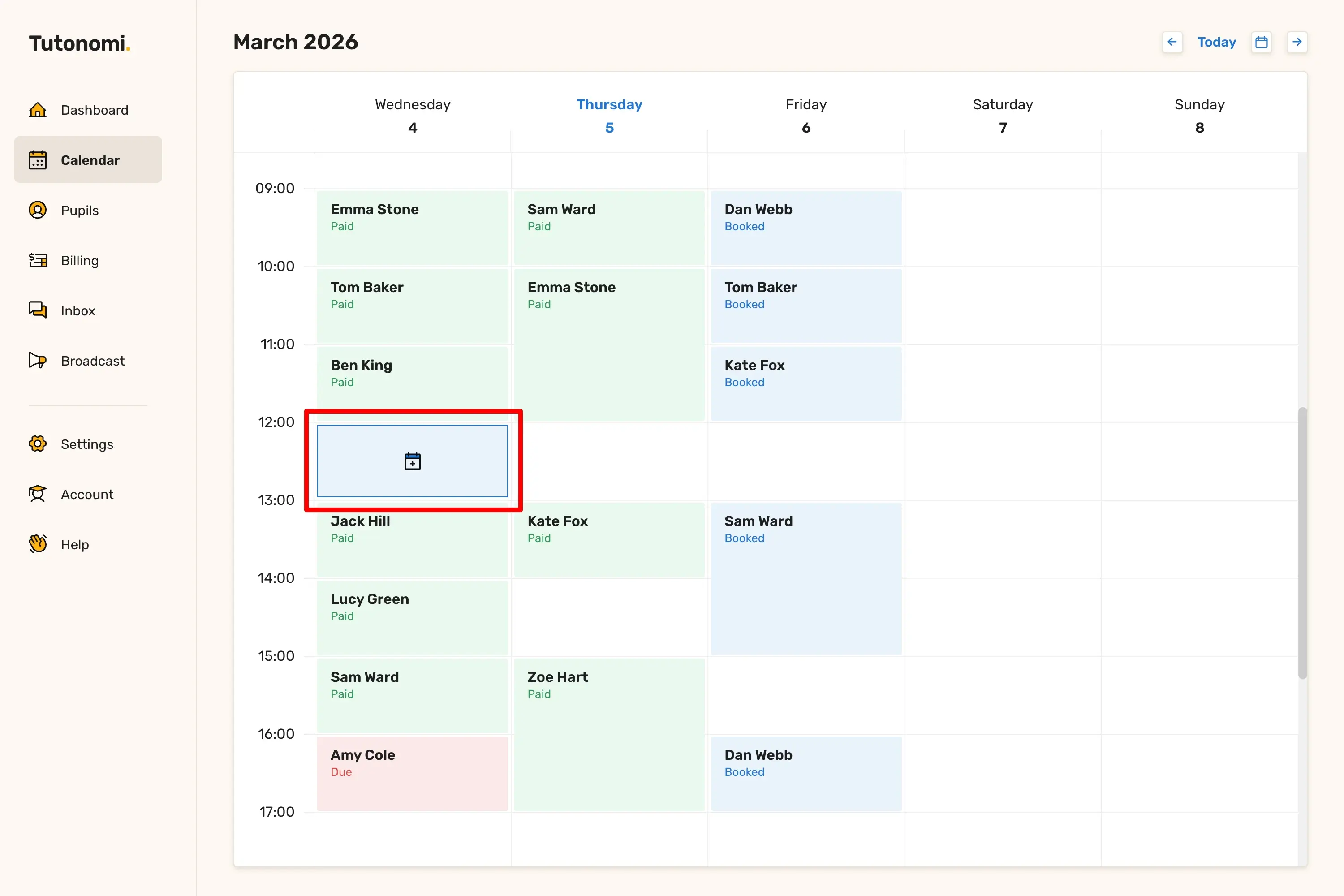
Step 2: Select a time slot
Click on any empty slot to open the Add a Lesson panel and fill in the lesson details as normal.
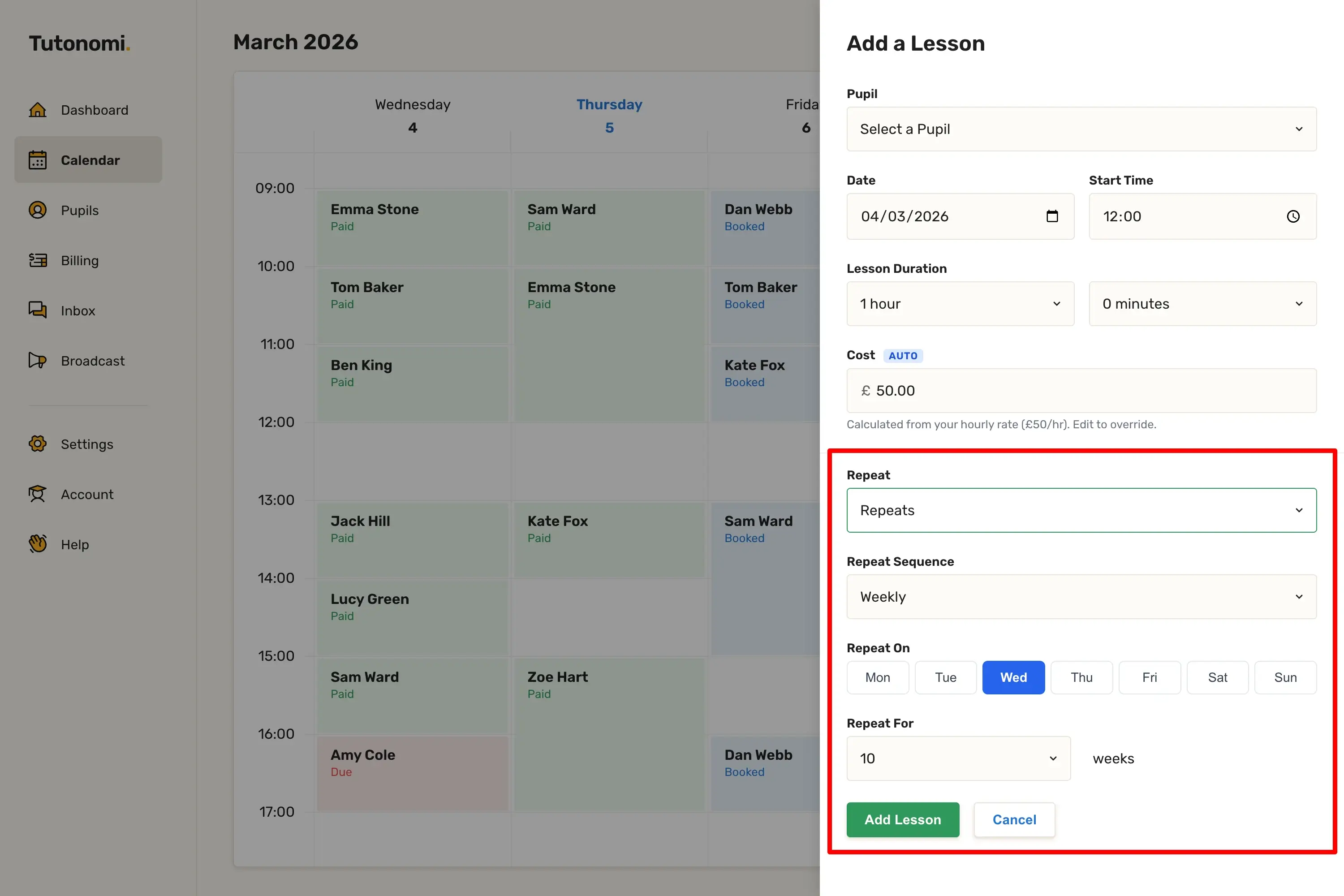
Step 3: Set up the repeat
In the Repeat dropdown, select Repeats. Then set the Repeat Sequence (e.g. Weekly), choose the day using Repeat On, and use Repeat For to set how many weeks it should run.
Step 4: Add the lesson
Click Add Lesson to create the full series.
Good to know
Your pupil will be sent an email containing the lesson time.
Your pupil will be sent a lesson reminder before the lesson.
Each lesson in a recurring series can still be edited or cancelled individually.
Recurring lessons are a great way to lock in a regular pupil without booking one lesson at a time.
Need a hand? 👋
If this hasn’t fully answered your question, we’re always here to help!
Send us a message and we’ll get back to you quickly — usually within an hour (9am-6pm UTC).
I simply love it
Saves me 5 hours a week
It’s free!
I have more family time now
My schedule is crystal clear
I spend more time earning (or relaxing!)
Now I get paid on time, every time
I highly recommend this app!