What Happens After the Final Reminder?
Understand what happens when automated reminders end and action is required.
——— ••• ———
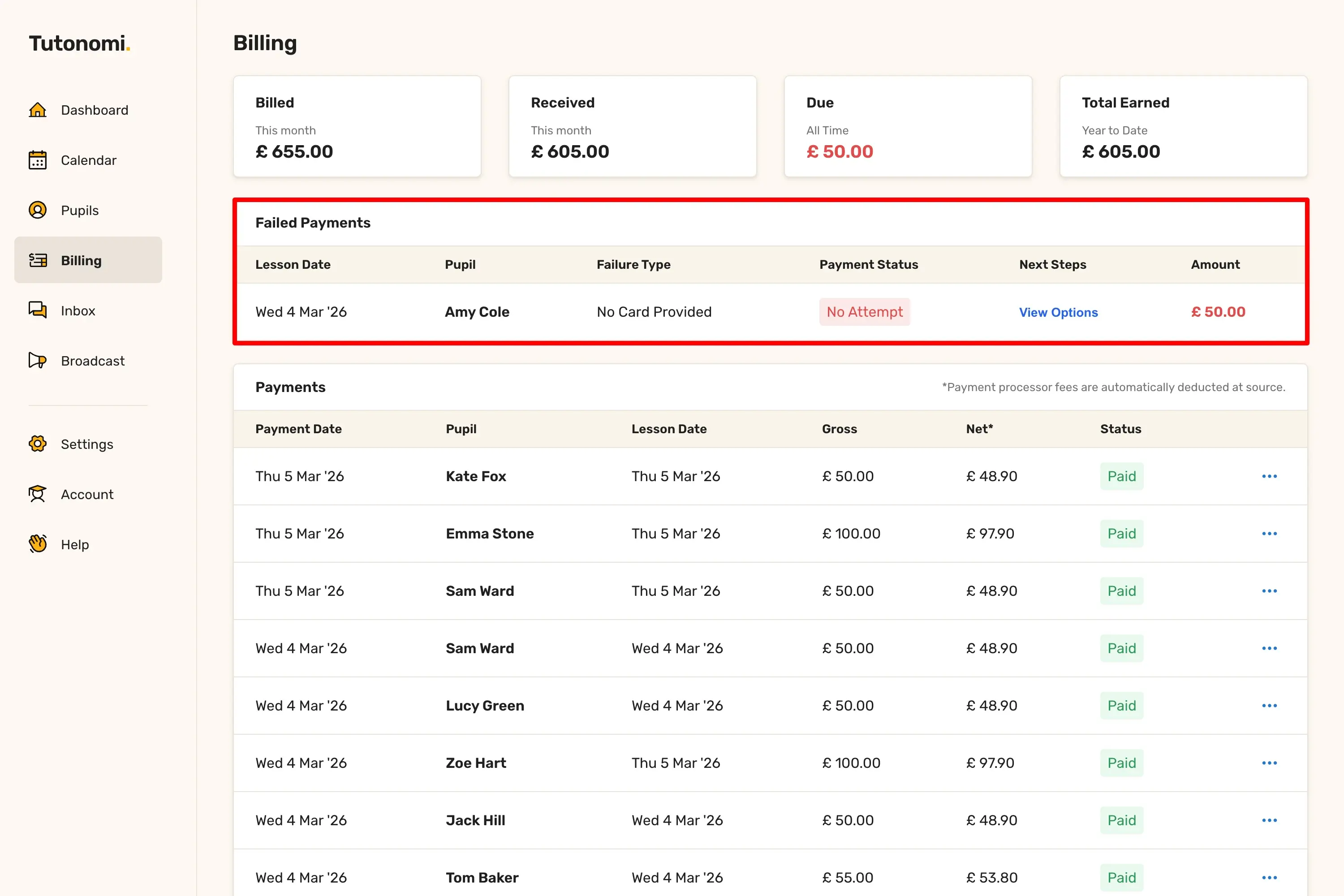
Once Tutonomi has sent a final reminder to your pupil and the payment still hasn't been resolved, it moves into the Failed Payments table on your Billing page. Here's what you can do from that point.
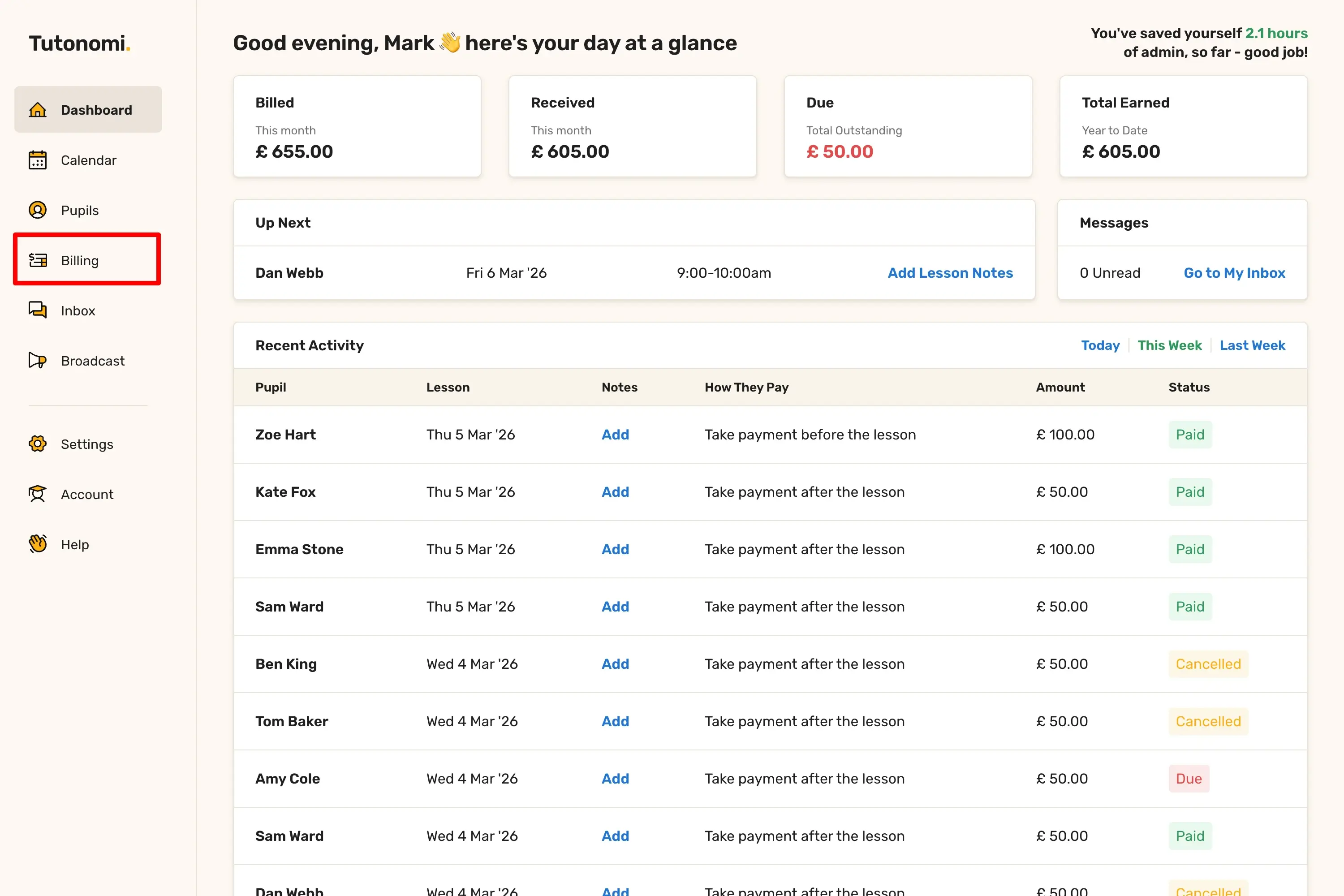
Where to find it
From the left-hand menu, click Billing. Any payments that have reached this stage will appear in the Failed Payments table at the top of the page.
Your options
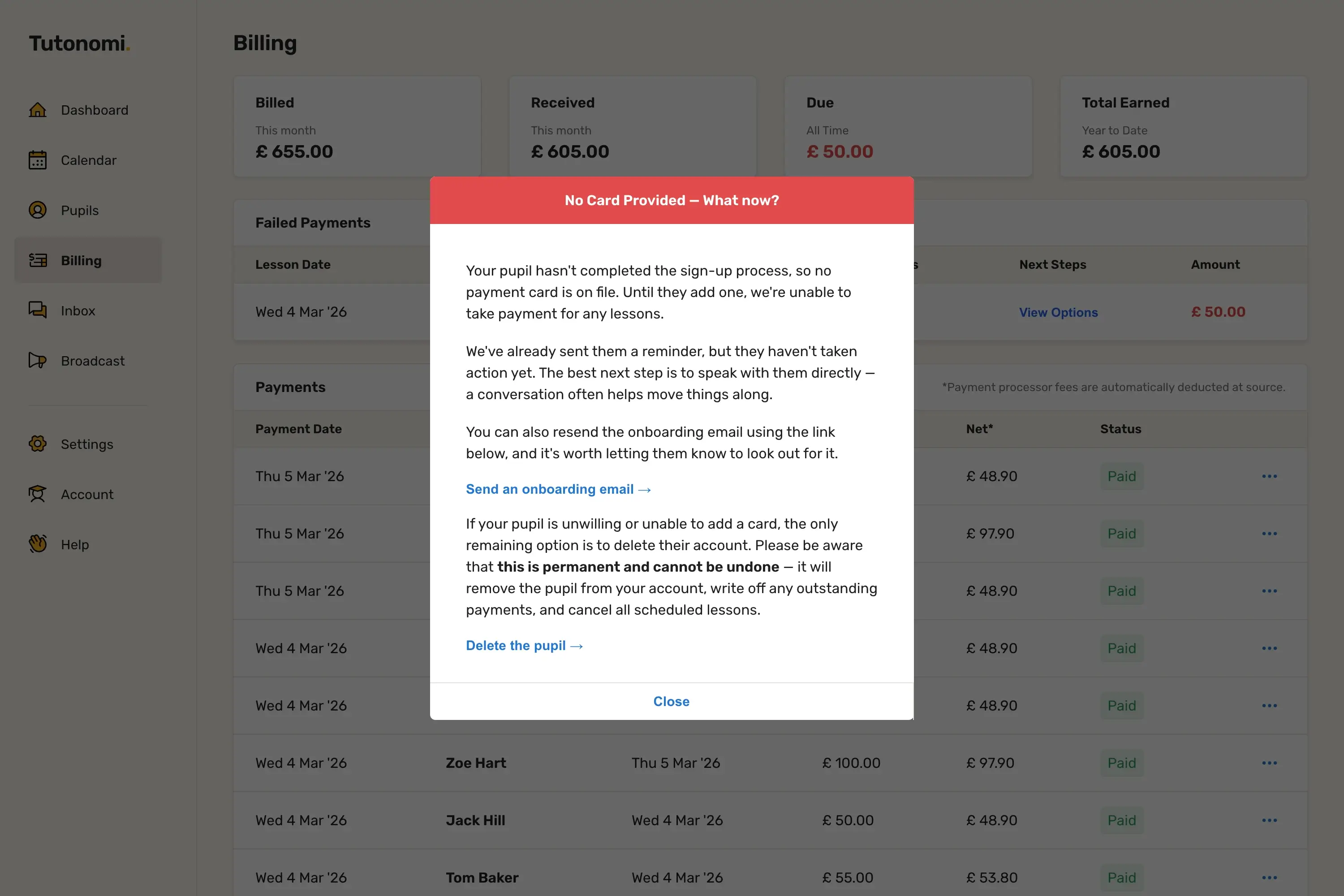
Click View Options next to the payment to see what actions are available. You can send the pupil an additional reminder email with a secure payment link, giving them another chance to settle up. If the pupil remains unresponsive or unwilling to pay, you can delete their account as a last resort — this will write off all outstanding payments and cancel any scheduled lessons permanently.
Good to know
Deleting a pupil is permanent and cannot be undone. It's worth trying a direct conversation first before taking that step.
If your pupil has further lessons booked and the payment remains unresolved, consider cancelling those to avoid additional unpaid lessons building up.
For more on the automatic steps that run before this point, see the guide on how payment retries work.
Need a hand? 👋
If this hasn’t fully answered your question, we’re always here to help!
Send us a message and we’ll get back to you quickly — usually within an hour (9am-6pm UTC).
I simply love it
Saves me 5 hours a week
It’s free!
I have more family time now
My schedule is crystal clear
I spend more time earning (or relaxing!)
Now I get paid on time, every time
I highly recommend this app!