Add a Pupil to Your Waiting List
Manage demand by placing new enquiries on your waiting list.
——— ••• ———
Here's how to add a pupil to your waiting list once they're already in your account.
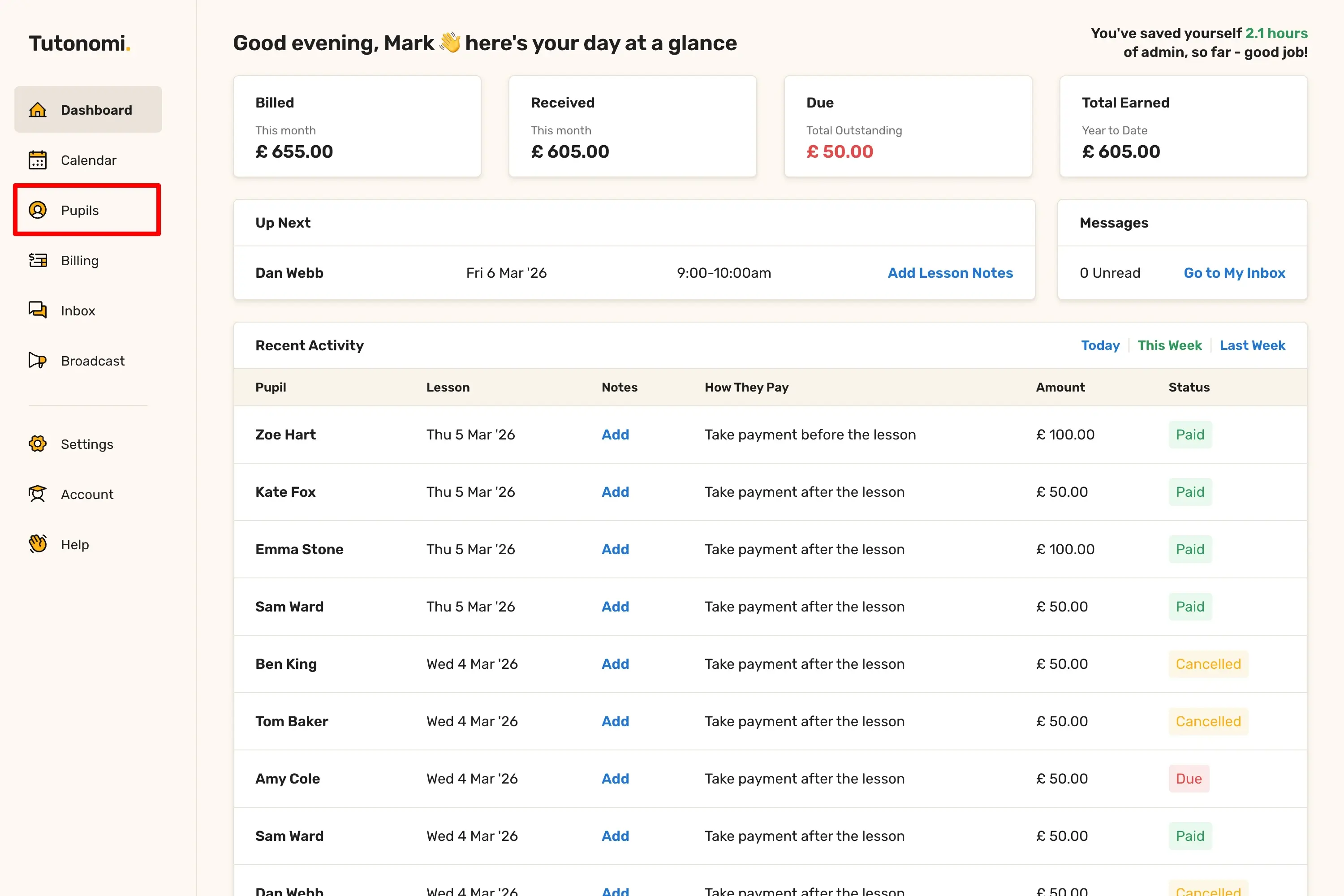
Step 1: Go to Pupils
From the left-hand menu, click Pupils.
Step 2: Open the pupil's profile
In the All Pupils list, click the pupil's name.
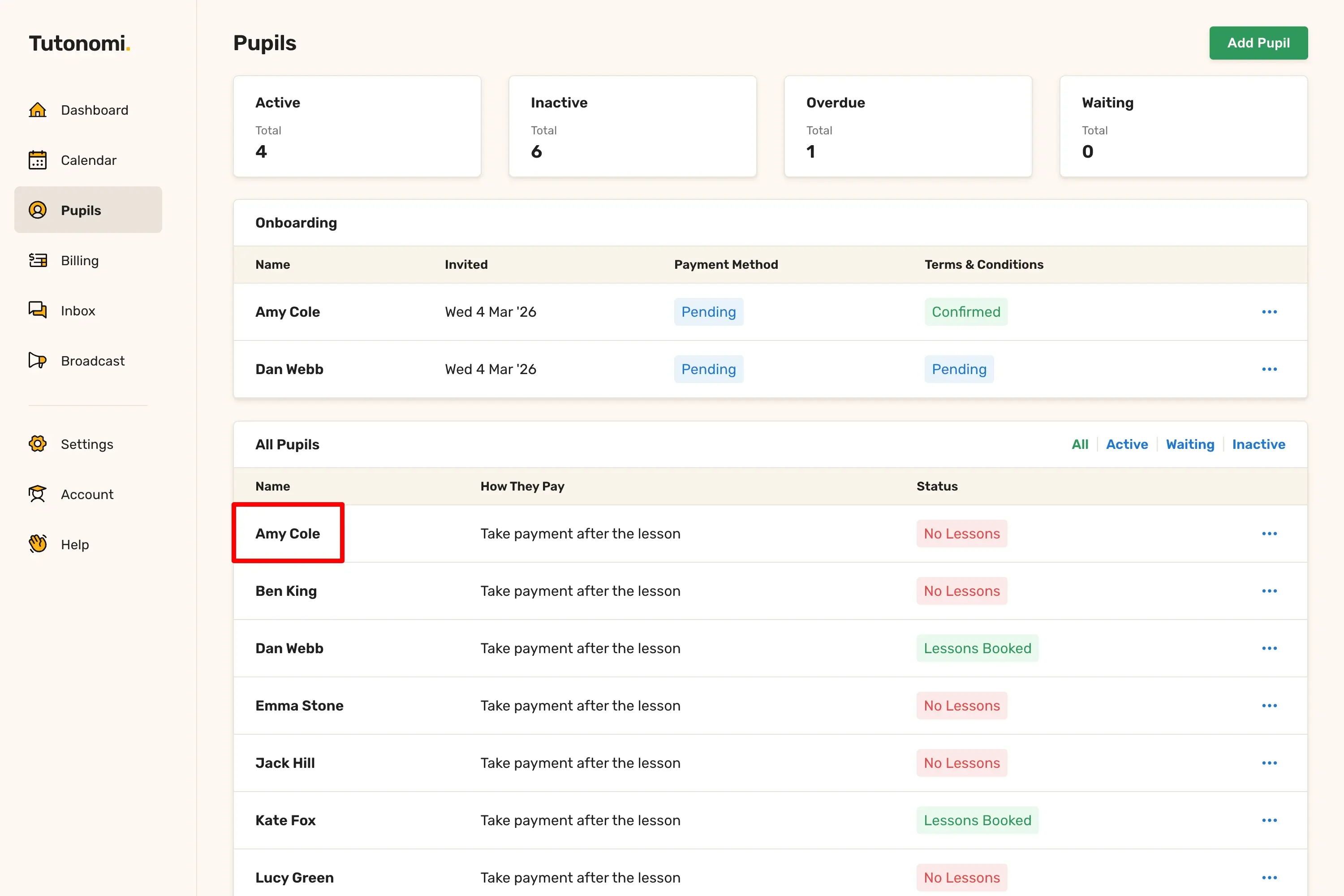
Step 3: Add them to the waiting list
In the top right corner of the pupil's profile, click Add to Waiting List.
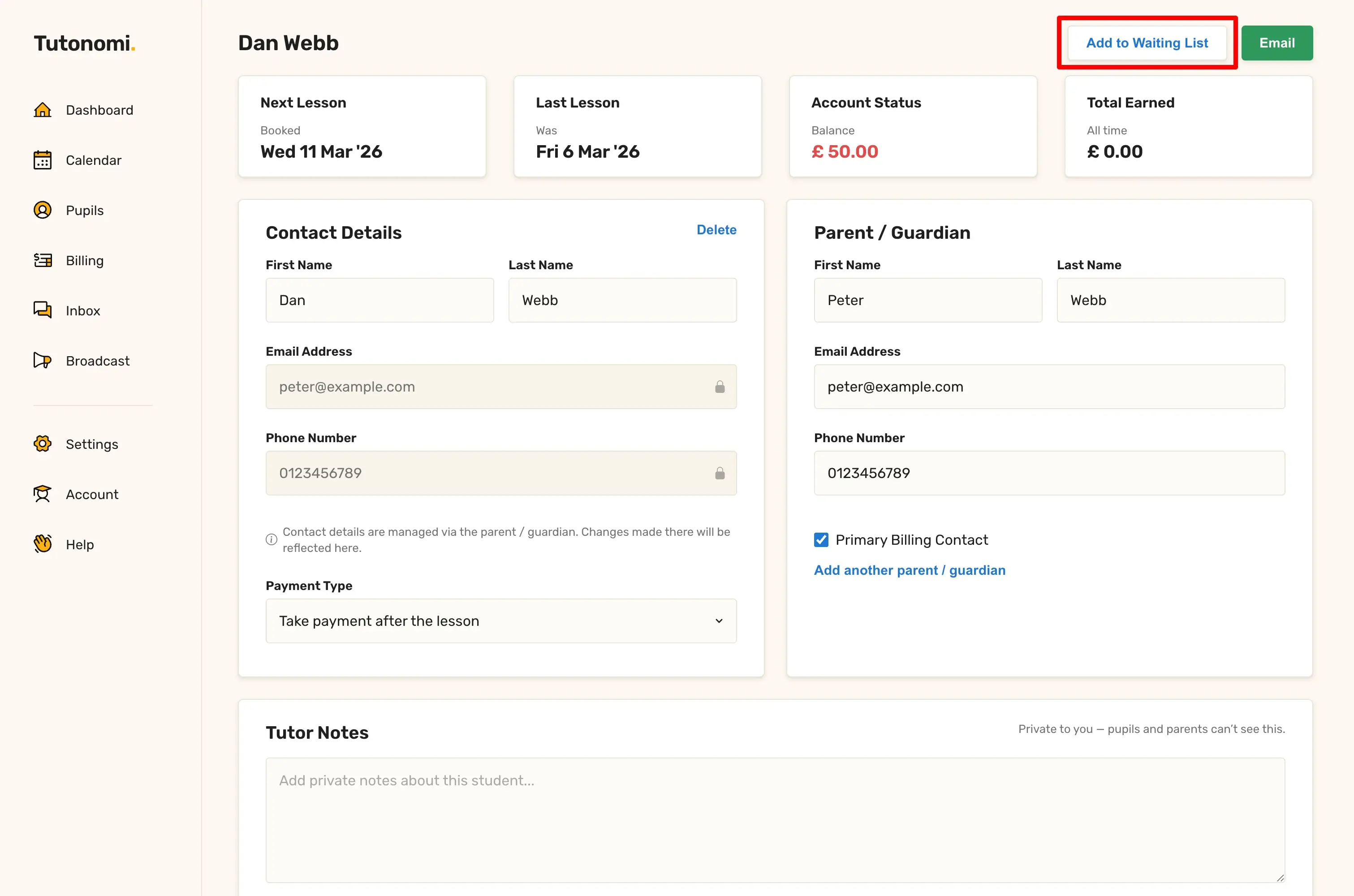
Good to know
You need to add a pupil to your account before you can put them on the waiting list. If they're not in your account yet, add them first using the Add Pupil button on the Pupils page.
Pupils on the waiting list show up under the Waiting tab in the All Pupils list, and the Waiting count on the Pupils overview updates to reflect them.
Being on the waiting list doesn't affect anything else — the pupil won't receive any notifications and no lessons will be created automatically.
To remove a pupil from the waiting list, just schedule a lesson.
Need a hand? 👋
If this hasn’t fully answered your question, we’re always here to help!
Send us a message and we’ll get back to you quickly — usually within an hour (9am-6pm UTC).
I simply love it
Saves me 5 hours a week
It’s free!
I have more family time now
My schedule is crystal clear
I spend more time earning (or relaxing!)
Now I get paid on time, every time
I highly recommend this app!