Add a Pupil
Step-by-step guide to adding a new pupil and preparing them for lesson scheduling and payment.
——— ••• ———
Here's how to add a new pupil to your Tutonomi account.
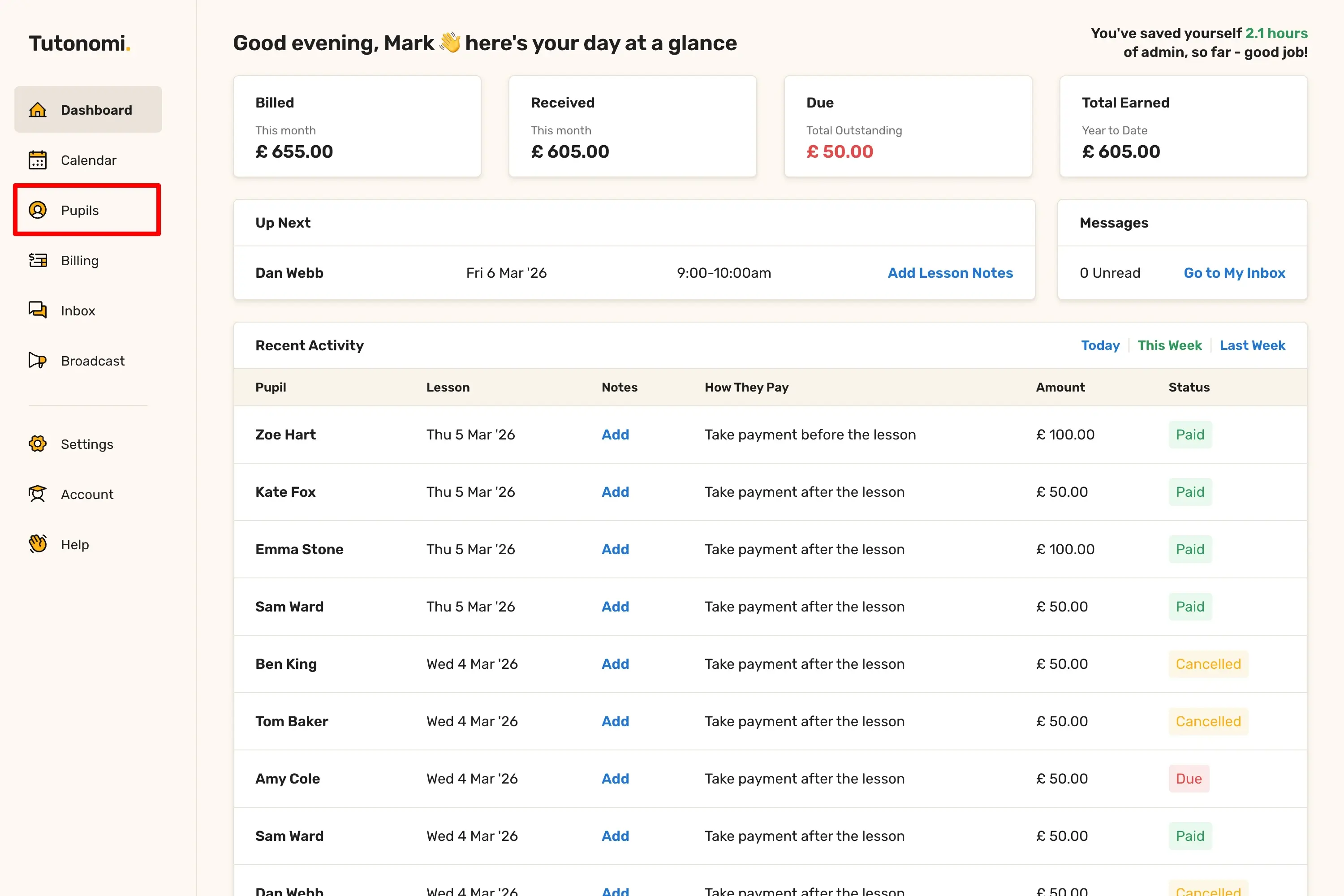
Step 1: Go to Pupils
From the left-hand menu, click Pupils.
Step 2: Start adding a pupil
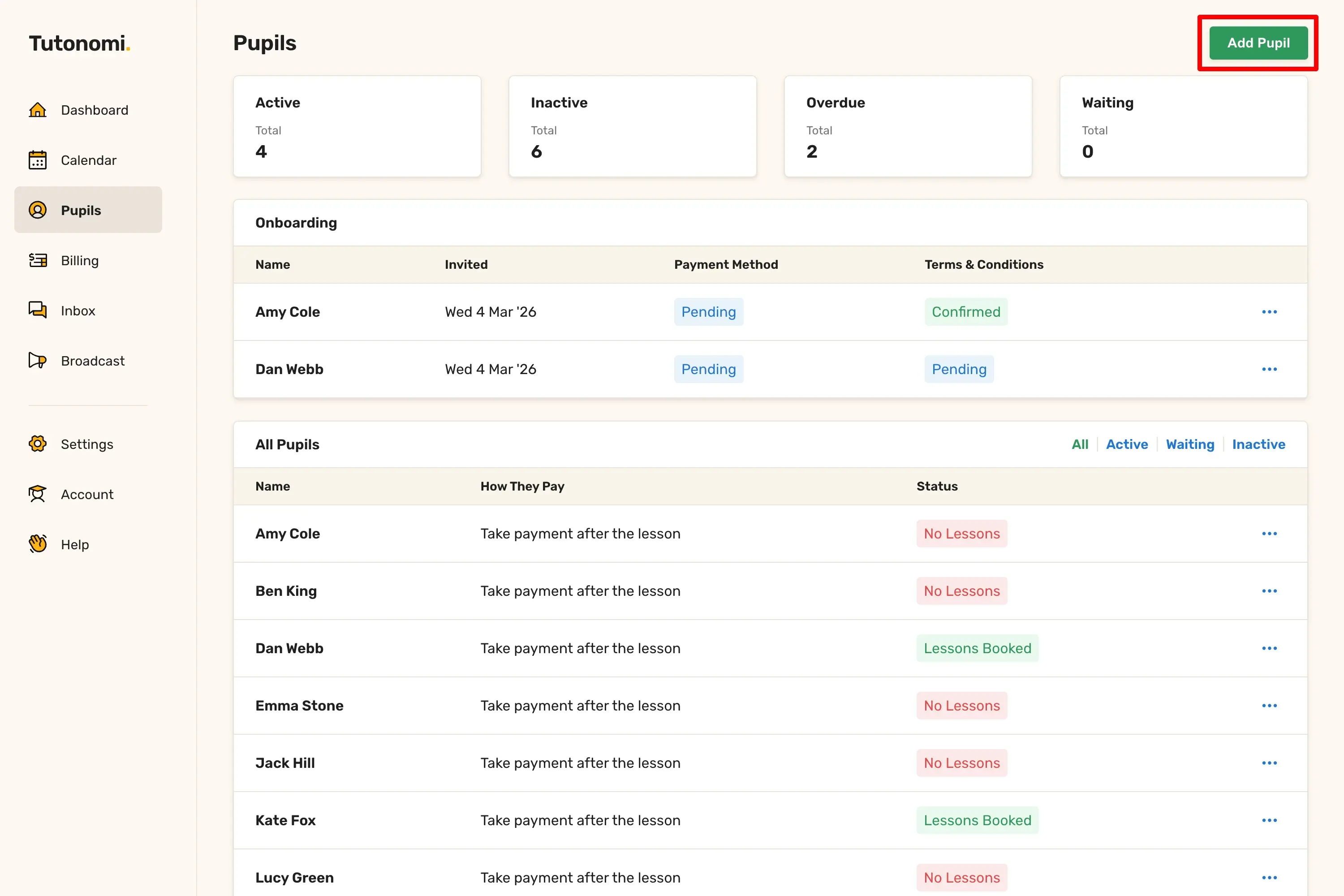
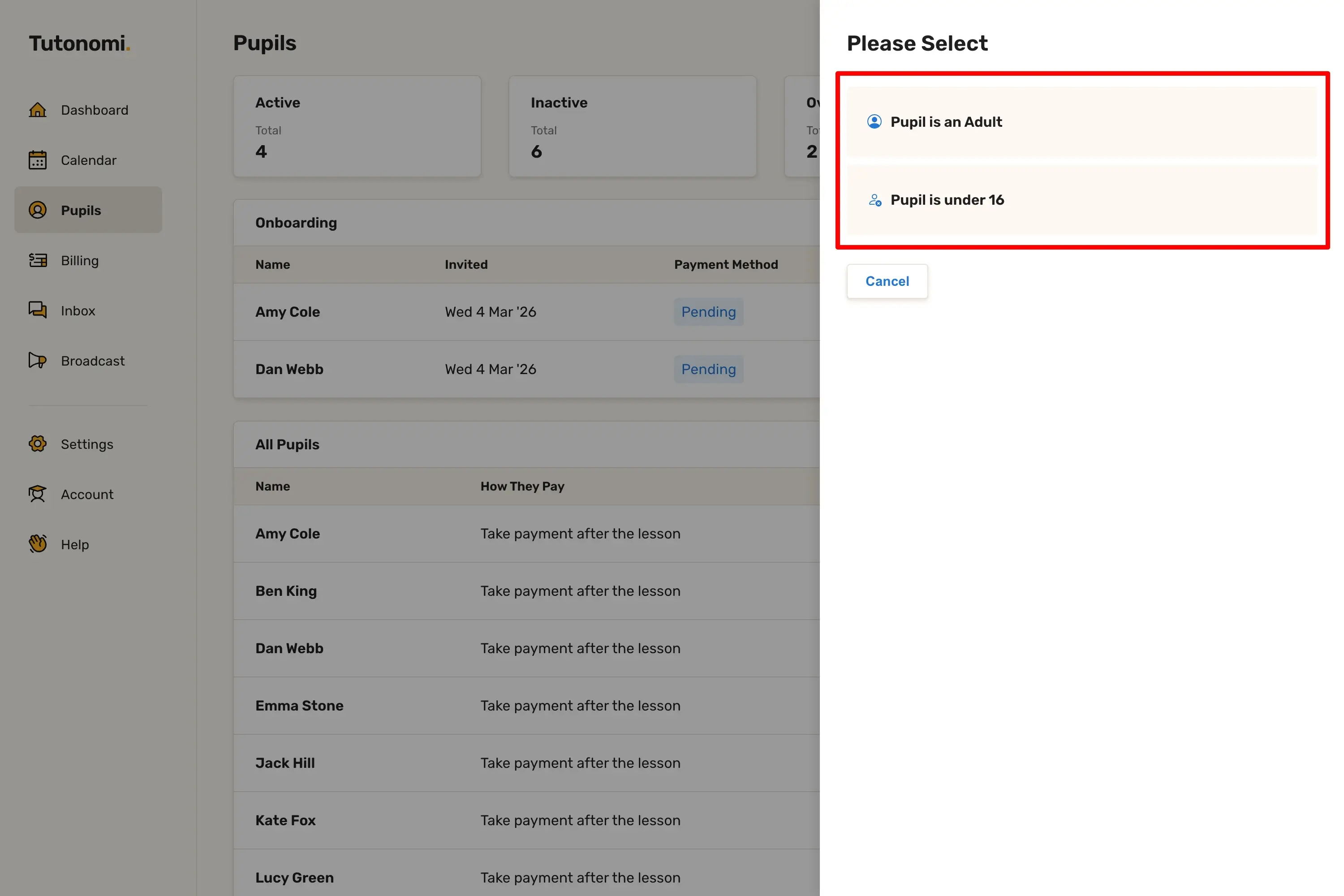
Click Add Pupil in the top right corner. You'll be asked whether the pupil is an adult or under 16.
Step 3: Fill in their details
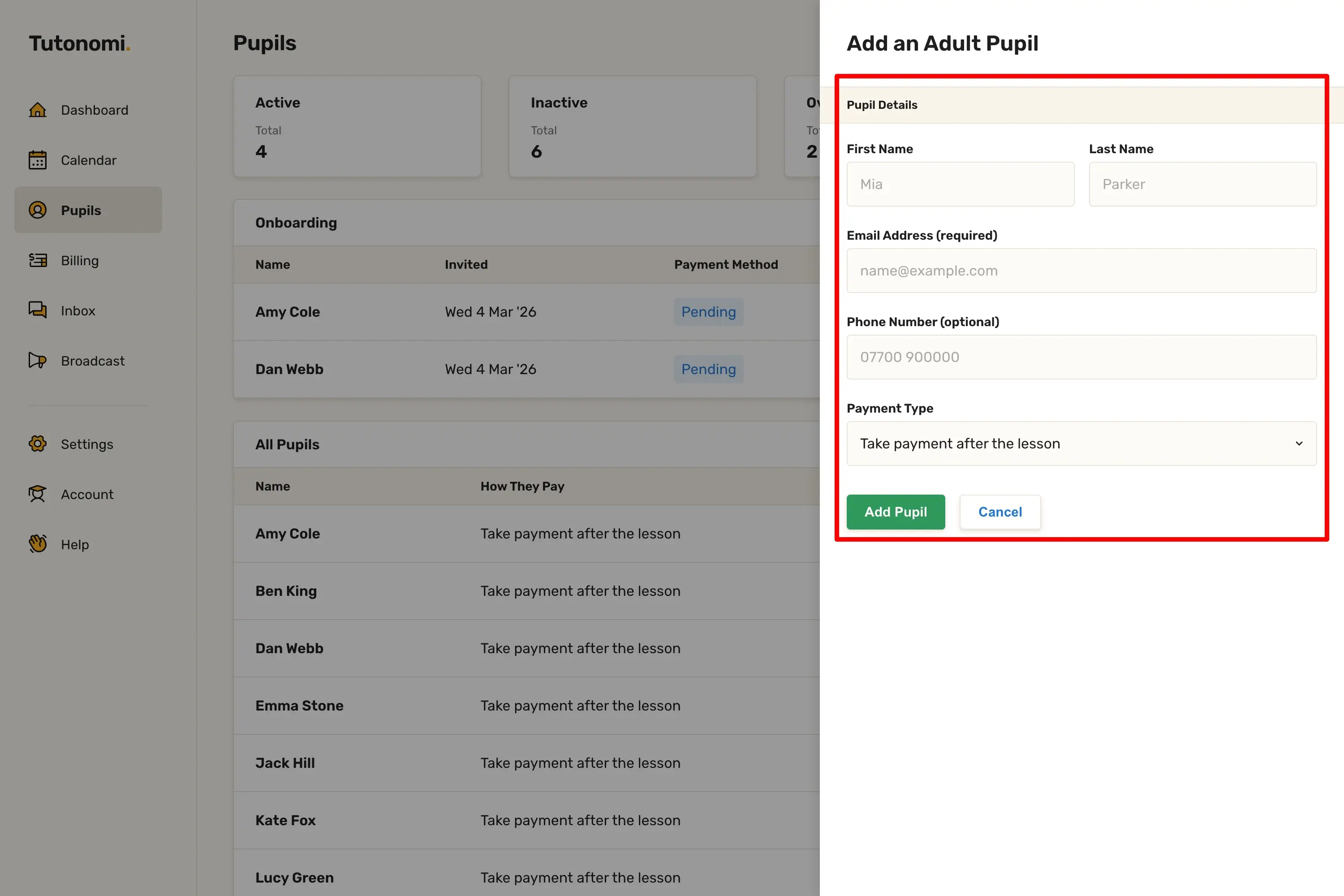
For an adult pupil, enter their First Name, Last Name, Email Address (required), Phone Number (optional), and Payment Type. For a pupil under 16, you'll also need to provide the parent or guardian's name, email address, and phone number.
Step 4: Save
Click Add Pupil to save them to your account.
Good to know
Once added, an invitation is sent so the pupil or parent can complete sign-up and add their payment details.
You can track who has completed onboarding from the Onboarding section at the top of the Pupils page.
For pupils under 16, the parent or guardian's details are required as they will be the billing contact.
Need a hand? 👋
If this hasn’t fully answered your question, we’re always here to help!
Send us a message and we’ll get back to you quickly — usually within an hour (9am-6pm UTC).
I simply love it
Saves me 5 hours a week
It’s free!
I have more family time now
My schedule is crystal clear
I spend more time earning (or relaxing!)
Now I get paid on time, every time
I highly recommend this app!