Add a Parent
Add a parent or guardian to manage billing and communication for a pupil.
——— ••• ———
Here's how to add a parent or guardian when the pupil you're adding is under 16.
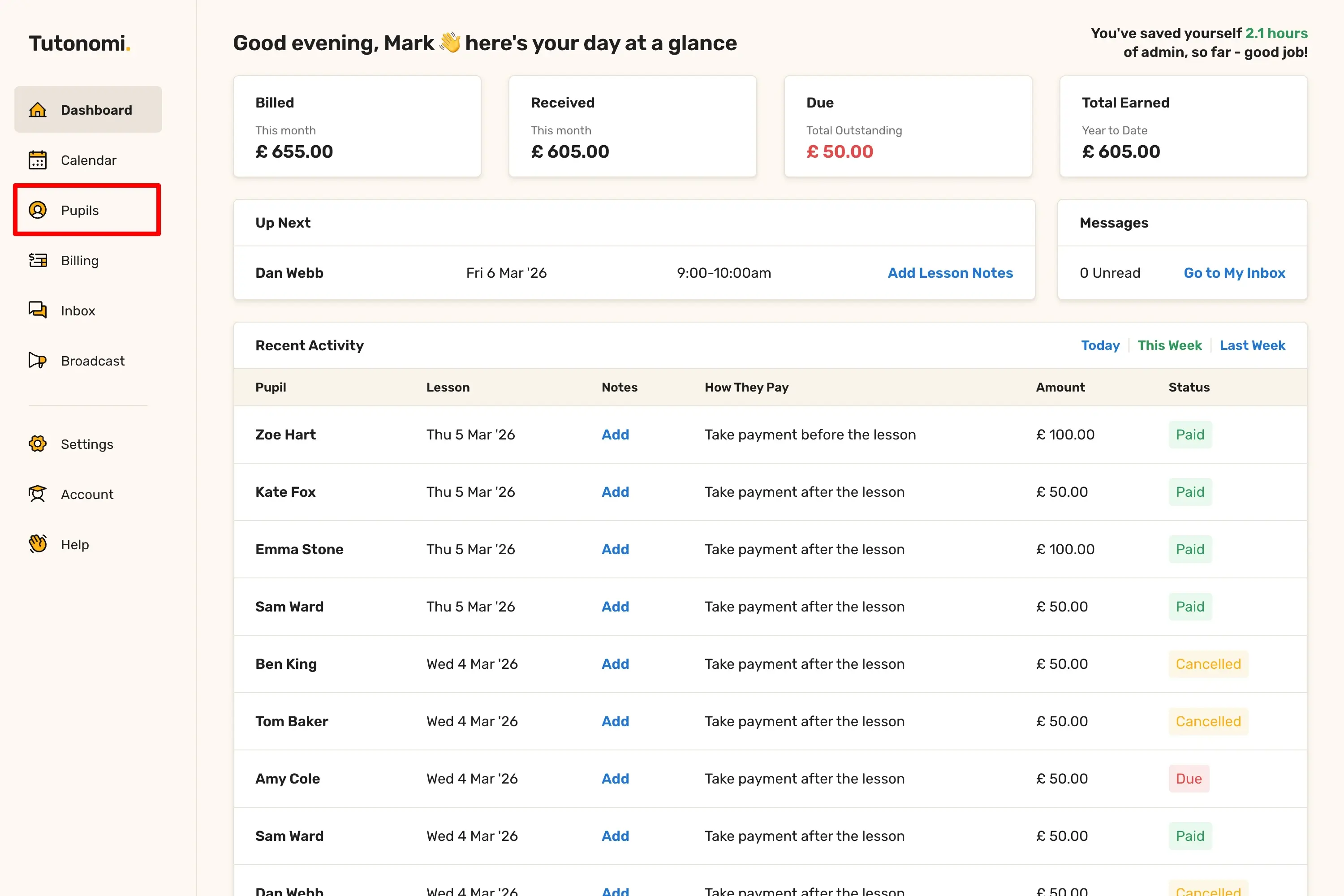
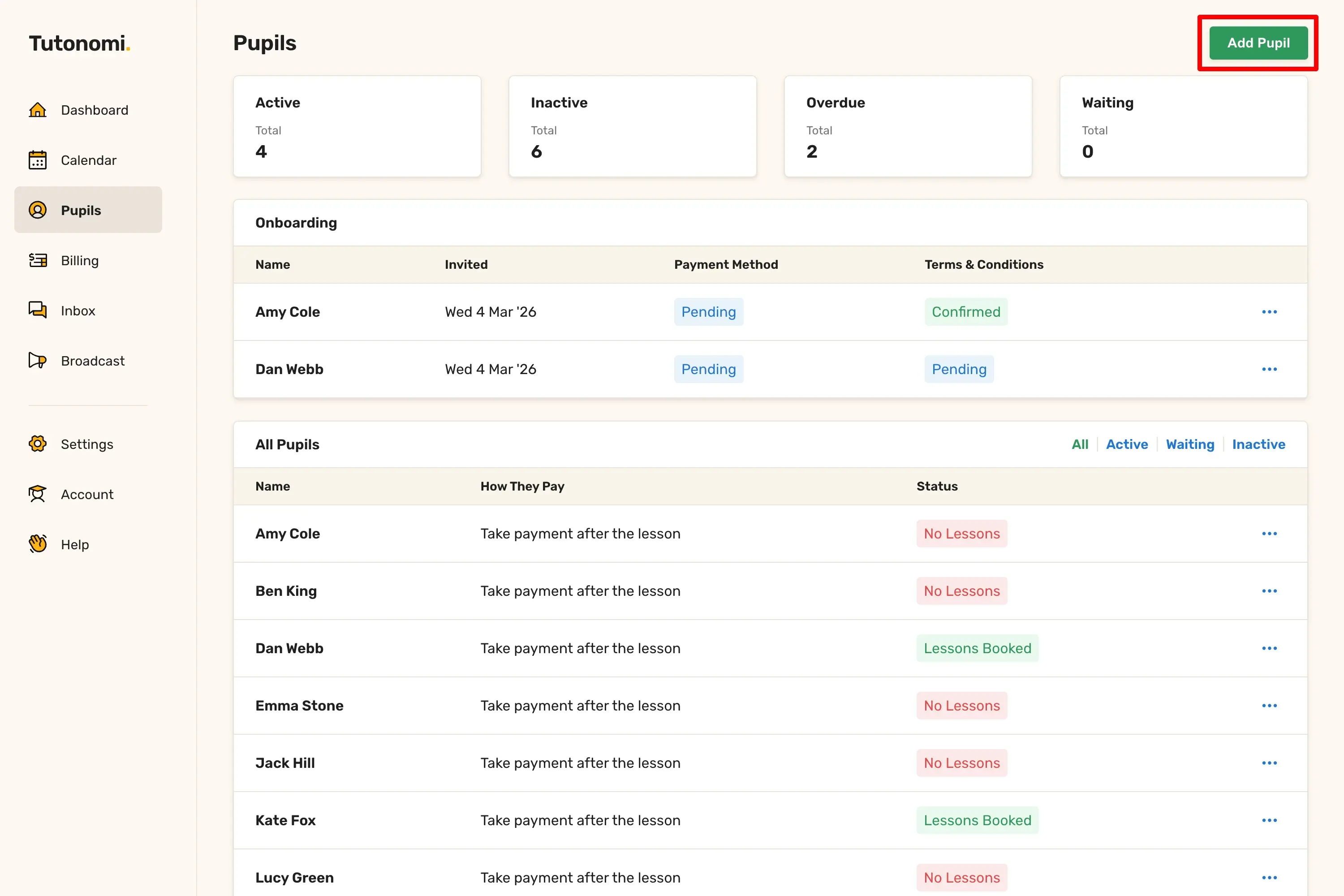
Step 1: Go to Pupils
From the left-hand menu, click Pupils, then click Add Pupil in the top right corner.
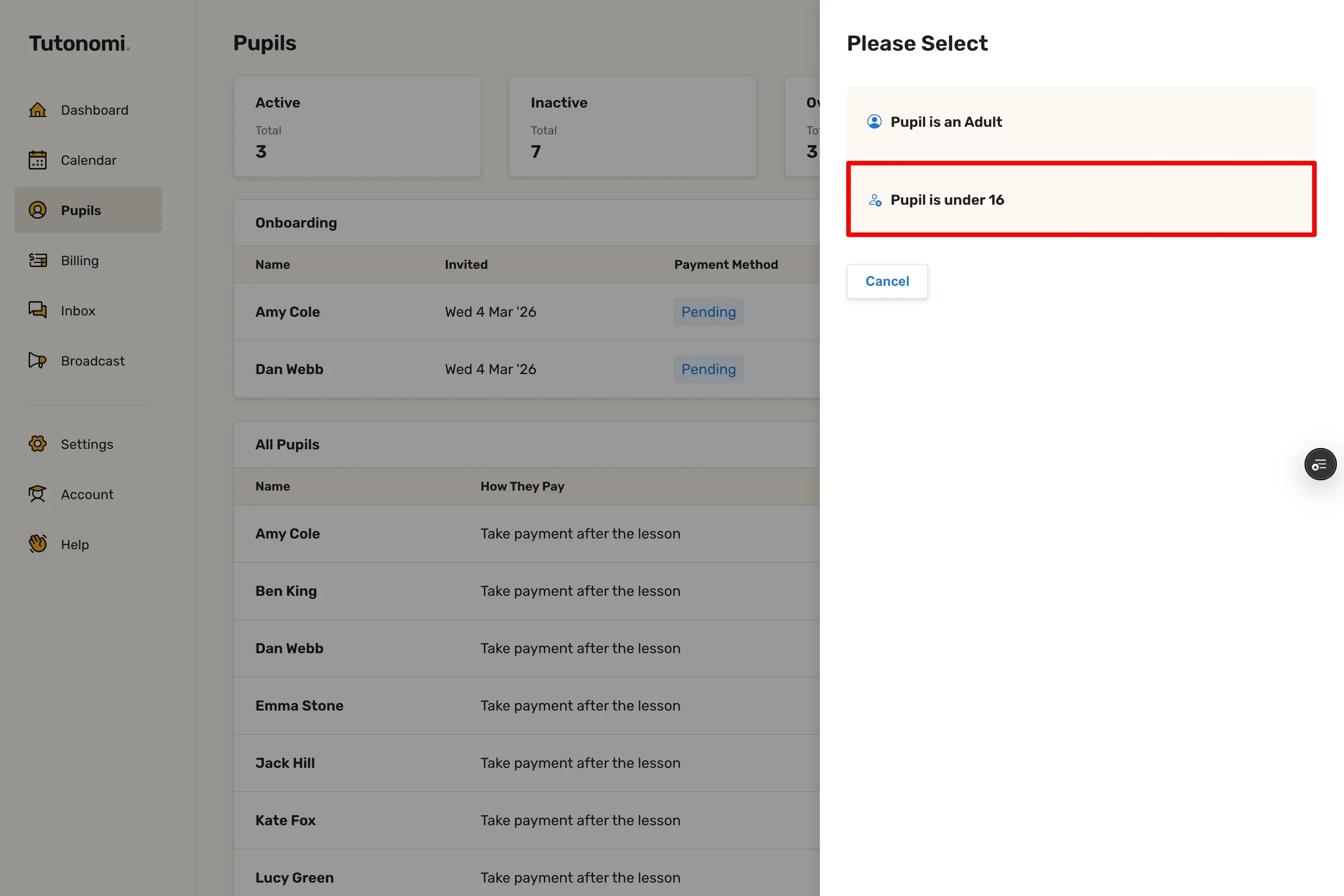
Step 2: Select the pupil's age group
When prompted, select Pupil is under 16. This opens the under-16 form, which includes a required section for parent or guardian details.
Step 3: Fill in the pupil's details
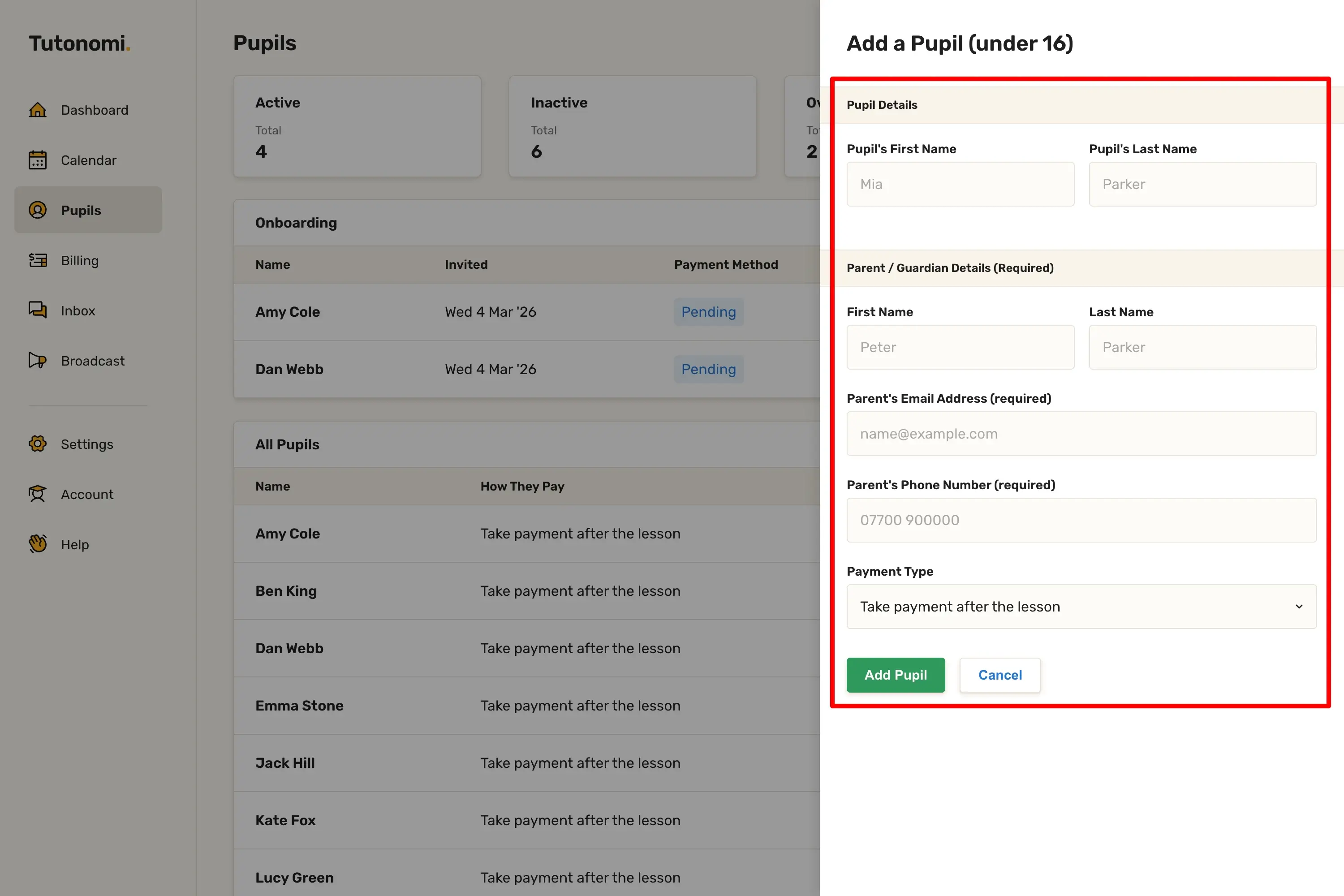
Enter the pupil's First Name and Last Name in the Pupil Details section.
Step 4: Fill in the parent or guardian details
In the Parent / Guardian Details section, enter the parent or guardian's First Name, Last Name, Email Address, and Phone Number. These fields are all required for under-16 pupils.
Step 5: Set the payment type
Use the Payment Type dropdown to choose how you want to take payment for this pupil's lessons.
Step 6: Add the pupil
Click Add Pupil to save.
Good to know
For pupils under 16, the parent or guardian is the billing contact. Payment requests and reminders go to them, not the pupil.
If your pupil is 16 or over, select Pupil is an Adult instead. The adult form only asks for the pupil's own contact details.
You can update the parent or guardian's details at any time from the pupil's profile page.
Need a hand? 👋
If this hasn’t fully answered your question, we’re always here to help!
Send us a message and we’ll get back to you quickly — usually within an hour (9am-6pm UTC).
I simply love it
Saves me 5 hours a week
It’s free!
I have more family time now
My schedule is crystal clear
I spend more time earning (or relaxing!)
Now I get paid on time, every time
I highly recommend this app!